


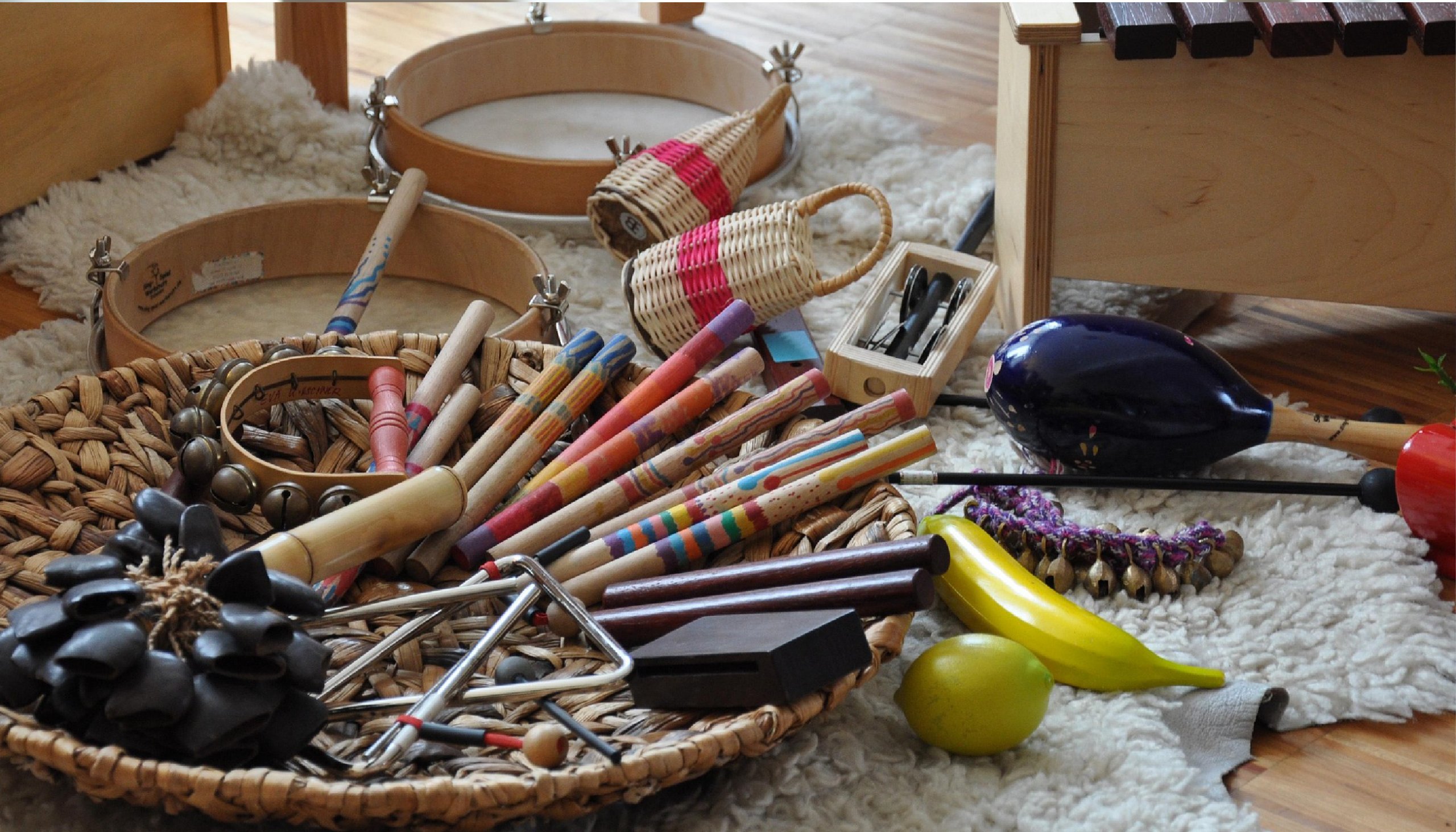



Weekend Playgroups in Singapore: An Editorial Round-Up for Parents
Weekday routines can leave little room for unhurried, purposeful play. That’s why weekend playgroups have become one of the most popular early enrichment choices for Singapore families — not as a substitute for weekday programmes, but as a dedicated window for developmental play, parent-child bonding, and early social exposure in a structured, low-pressure environment.
This round-up takes an editorial approach to the landscape. Rather than simply listing every provider on the island, it sets out to help you understand the types of weekend playgroup experiences available, what each style offers developmentally, and how to make a genuinely informed decision for your child’s age and temperament. Whether your baby is just a few months old or your toddler is approaching their third birthday, there’s a meaningful option here — and a framework for finding it.
Why Weekend Playgroups Matter in Singapore
For parents who both work through the week, the weekend isn’t just family time — it’s often the primary window for hands-on enrichment. But even for families with a parent at home, structured weekend sessions offer something qualitatively different from daily play at home. Research consistently shows that quality early childhood programmes yield significant developmental benefits, particularly when they offer peer interaction, varied sensory experiences, and intentional curriculum design — things that are genuinely difficult to replicate in a home setting alone.
There’s also a social dimension that benefits parents directly. Playgroups can offer parents a support network of families navigating similar stages — a source of practical advice, reassurance, and genuine community that new parents in Singapore often find invaluable. Weekend timing makes this connection easier to sustain across two-parent families, carers, and grandparents who may not be available on weekday mornings.
For children, the developmental benefits of regular, structured play experiences are well established. Playgroups give infants and toddlers a chance to interact with other kids, fostering socialisation and communication. Learning to share, take turns, and engage cooperatively within a group also builds the social foundations that formal schooling will later rely upon. Weekend sessions attended consistently — even once a week — can deliver meaningful cumulative benefit over time.
The Main Types of Weekend Playgroups
Singapore’s enrichment landscape is genuinely broad, and weekend playgroup options span several distinct philosophies and formats. Understanding the categories helps parents make a more intentional choice rather than simply selecting whichever option is closest or most visible on social media. The main types you’ll encounter are: music and movement sessions, Reggio-inspired sensory play, language-rich and bilingual programmes, and active or outdoor-focused playgroups. Each has distinct developmental strengths — and each will suit a different kind of child.
Within each category, the key variables are age eligibility, parent accompaniment requirements, session length, and the underlying teaching philosophy. Enrichment playgroup sessions are usually about an hour long, with some centres offering longer structured programmes. Most sessions for children under two are parent-accompanied by design, which makes the weekend timing particularly natural — both caregivers can attend, and the session becomes as much a family experience as a child-focused one.
Music and Movement Playgroups
Music-based playgroups are among the most popular enrichment choices for babies and toddlers in Singapore, and the developmental rationale is strong. Rhythm, repetition, and melody activate multiple regions of the brain simultaneously, which means a well-designed music session is doing far more than simply entertaining your child. Early exposure to music supports language acquisition, motor coordination, memory formation, and emotional regulation — all within a single class format.
Most music playgroup sessions are parent-accompanied, run for 45 to 60 minutes, and weave together singing, percussion instruments, movement, and sensory play in a structured but joyful format. Providers in this space include VOCA Academy (Havelock II), which offers themed music playgroups that include sign language, storytelling, and hands-on instrument fun. Our Music Studio at Tanglin Mall offers play-based music classes with instruments, rhythm games, and creative movement for babies and toddlers. Kindermusik has built a strong reputation across its Rochester Mall, Katong, and United Square locations, with a curriculum that uses music as the foundation for developing language, cognitive, social, and motor skills in children from newborns through to age seven.
What distinguishes the best music playgroups from more casual options is the degree to which the curriculum is genuinely designed around developmental milestones, rather than simply being an enjoyable activity. When evaluating a music programme for your child, look for: original or carefully selected repertoire that introduces varied vocabulary and concepts, qualified early childhood educators who understand developmental pacing, and sessions that integrate multiple learning modalities — not just singing, but also movement, instrument exploration, and sensory engagement.
Reggio-Inspired and Sensory Play Sessions
Reggio Emilia-inspired playgroups take a child-led, exploratory approach that prioritises open-ended sensory experiences over structured activities. Several of Singapore’s most respected early childhood providers operate in this space. EtonHouse’s Stay & Play programme — available at Thomson, Claymore, Newton, and Sentosa — is a parent-accompanied programme that creates beautiful bonding moments while offering age-appropriate sensory exploration within a beautifully designed environment. Developed for children aged nine to 22 months, it focuses on social, physical, sensorial, and musical development through collaborative learning.
Blue House Infant & Toddler Ateliers, operating from River Valley and Turf City, offer adult-accompanied programmes for children from six to 36 months. Their sessions encourage children to engage in sensory play through music, storytelling, and art-based exploration, providing a gentle, interactive environment that suits curious, quietly-engaged children well. Rosemount International School at Siglap also runs a playgroup for babies from two months, with sessions that incorporate art, craft, music, sensory play, and a dramatic play corner designed to develop imagination alongside fine and gross motor skills.
The appeal of Reggio-inspired sessions for many parents lies in their unhurried, process-over-product philosophy. Children are not working towards a performance or a finished craft — they are simply exploring materials, building theories about the world, and developing their capacity for wonder. For babies and young toddlers in particular, this low-pressure approach can be exactly the right developmental match.
Language-Rich and Bilingual Options
Singapore’s bilingual context makes language-enriched playgroups a natural priority for many families. Julia Gabriel’s Early Learning Programmes, available at Forum and Tampines Mall, are among the most established in this space. From nurturing an infant’s sense of attachment and security to fostering a toddler’s growing sense of self and autonomy, their programmes span a wide developmental range and offer both adult-accompanied and independent options for children from six months to four years. With a specially-created Story Time and Music Time series, sessions build sensory abilities alongside early language skills through arts, crafts, and discovery activities.
For families seeking dedicated Mandarin exposure from an early age, HAHA Chinese at River Valley offers a 45-minute Mandarin Immersion playgroup for children from as young as 14 months, using sensory play, crafts, and Mandarin songs to make language acquisition feel natural and joyful. Wee Care’s parent-accompanied programmes, available at Winstedt Road and Oxley Rise, take a similarly discovery-led approach — encouraging little ones to learn about themselves and their environment through structured exploration across the infant and toddler years.
A note on what to look for: genuine bilingual immersion is not the same as bilingual labelling. The most effective language-rich playgroups integrate the second language across all activities — not just during a designated song segment — and employ educators with both language expertise and early childhood training. When a child hears consistent, contextualised language use throughout a session, acquisition happens far more naturally than through formal instruction.
Active and Outdoor Playgroups
Not every child thrives in a seated circle-time format, and Singapore’s playgroup landscape does include options that prioritise movement, physical confidence, and outdoor exploration. White Lodge’s Parent and Child Programme, spanning many centres across the island, invites parents and children aged six months to 2.5 years to learn and play together through circle time, music and movement, art, sensory, and outdoor play. The Phoenix Park location offers a particularly distinctive forest school playgroup that appeals to families who want their children’s earliest structured experiences to involve genuine connection with nature.
Kanopy Forest Preschool in Bukit Timah takes outdoor learning further, immersing children aged 18 months to six years in a child-led Forest School curriculum. For younger children in their sensorial playgroup, the focus is on exploratory play within natural environments — mud kitchens, sandpits, tepee tents, and an edible garden form part of the everyday backdrop. MyGym’s Playgroup Programme for children aged 19 months to 3.5 years takes a different but complementary approach, offering structured physical development through activities covering art and craft, language and literacy, music and movement, and math and science discovery.
The developmental case for active and outdoor playgroups is clear. Many toddler playgroups offer opportunities for movement like crawling, walking, and climbing, which supports both gross and fine motor development. For children who are sensory-seeking, physically active, or who simply need space to move in order to feel settled, active playgroups offer developmental value in a format that genuinely suits them.
How to Choose the Right Weekend Playgroup
With so many strong options available across Singapore, the decision is rarely about finding a programme that is objectively the best — it’s about finding the right fit for your specific child at their current developmental stage. A few practical criteria help to narrow the field significantly.
- Start with your child’s age and stage. Most structured playgroups begin at 6 to 18 months, but some accept babies from as young as four months. The developmental needs of a four-month-old and an 18-month-old are quite different — make sure the programme you’re considering is genuinely designed for your child’s current window, not just age-eligible on paper.
- Consider your child’s temperament. High-energy, sensory-seeking children often thrive in music and movement or active outdoor settings. More observant, internally-focused children may do better in the quieter exploration of Reggio-inspired or Montessori sessions. Follow your child’s cues rather than choosing based on what is most popular among other parents.
- Assess parent accompaniment requirements.Forcing separation before a child is ready can create anxiety that undermines the benefits of playgroup attendance. Most reputable programmes for children under two are parent-accompanied by design — which is developmentally appropriate and also makes the weekend format particularly natural for two-parent families.
- Prioritise consistent attendance over programme prestige. A well-matched programme attended every weekend will deliver more developmental benefit than an impressive-sounding programme attended sporadically. Consistent attendance delivers far more developmental benefit than intermittent sessions at a theoretically superior programme across town. Choose something that fits your family’s rhythm.
- Take a trial class. Most reputable playgroups in Singapore offer trial sessions. Use them — not just to evaluate the facility, but to observe how your child responds to the environment, the educator, and the format. A child who is visibly engaged and happy is providing you with the most reliable signal of fit.
Where The Music Scientist Fits In
For families whose priority is a music-led enrichment pathway that evolves with their child from early infancy right through to preschool readiness, The Music Scientist offers one of Singapore’s most comprehensively developmental sequences. The programmes are age-sequenced rather than one-size-fits-all, meaning the content, pacing, and learning objectives shift as children grow — following developmental milestones rather than simply repeating the same activities at different ages.
The journey begins with Tenderfeet, designed for babies from four months old. Sessions combine original music composed around general knowledge themes with sensory play and movement, offering a gentle but intentional developmental environment for the earliest months. Rather than passive listening, babies are guided through experiences that stimulate multiple senses simultaneously — supporting cognitive development, early communication, and parent-child connection in a single class format.
As children grow into the toddler years, Happyfeet for 18-month-olds and older toddlers builds on that sensory foundation with more interactive musical play, while Groovers introduces rhythmic awareness, creative expression, and the social engagement that comes with learning music within a group. Scouts takes the programme into science-infused musical learning, building the curiosity, focus, and early conceptual understanding that preschool will require.
For families approaching the transition to formal education, the SMART-START English and SMART-START Chinese programmes offer a dedicated preschool readiness pathway in both languages — using originally composed music and thematic general knowledge content to build the literacy, memory, and focus skills children need for a confident and settled transition into Nursery 1 and beyond. This bilingual dimension makes The Music Scientist particularly relevant for Singapore families navigating both English and Mandarin development simultaneously.
What makes the music enrichment approach distinctive within the wider playgroup landscape is precisely this: music is not simply the activity — it is the learning vehicle. Music and movement for preschoolers is one of the most powerful and research-backed tools in early childhood education, stimulating the brain across multiple developmental domains simultaneously in a way that few other activities can match. Weekend sessions at The Music Scientist offer families both the developmental depth of a curriculum-led enrichment programme and the joyful, energised experience that children genuinely look forward to.
Finding Your Weekend Playgroup Fit
Singapore’s weekend playgroup landscape is rich with genuine quality across multiple styles and philosophies. The most important thing is not to find the most popular programme, but to find the right developmental match for your child’s current stage, temperament, and learning style — and then to attend consistently enough for the benefits to accumulate meaningfully over time.
If music, movement, and a curriculum grounded in developmental science are priorities for your family, The Music Scientist’s age-sequenced programmes offer a pathway that grows alongside your child from the earliest months through to preschool readiness. Each programme tier is designed around a specific developmental window, which means the content evolves with your child rather than staying static — giving both parent and child something genuinely new to engage with at every stage.
Ready to Find the Right Programme for Your Child?
The Music Scientist offers trial classes for families who want to experience the difference a developmentally sequenced, music-led enrichment programme makes. Get in touch with our team to find out which programme is the right fit for your child’s current stage.
If you have ever found yourself scrolling through enrichment programme websites at midnight, comparing schedules and wondering whether your toddler is somehow already falling behind, you are not alone. In Singapore, the conversation around toddler classes starts early and the options multiply quickly — music, movement, swimming, art, Mandarin, phonics, sensory play, and more. The result is a genuine parenting puzzle: how do you build a weekly schedule that genuinely supports your child’s development without turning every morning into a logistical sprint?
The good news is that building a balanced weekly schedule for toddler classes in Singapore is far less complicated than the enrichment industry might have you believe. The guiding principle is simple: a few well-chosen, developmentally aligned classes, protected free play time, and a routine that leaves room for your toddler to simply be a toddler. This article walks you through exactly how to think about it — including how many classes make sense at each age, which types of enrichment deliver the most developmental value, and why music enrichment so often makes the best anchor for a balanced week.
Why Balance Matters More Than Volume
Singapore’s enrichment culture is genuinely excellent at its best, but it also generates real pressure to do more, start earlier, and fill every free afternoon with a structured activity. For parents of toddlers especially, this pressure deserves to be examined rather than simply followed. Young children are not miniature students waiting to be filled with content — they are developing humans whose brains grow most effectively through a mix of sensory-rich play, loving interaction, movement, and yes, some gentle structure.
What the research consistently shows is that the quality of a toddler’s weekly schedule matters far more than its density. The first three years represent a critical window for brain development, with neural connections forming at remarkable speed — but those connections are built through stimulating, varied, and joyful experiences, not through a packed timetable. Free play, in particular, is not downtime to be minimised. It is the space where toddlers consolidate what they have learned, build imagination, and follow their own curiosity without adult direction. Enrichment is designed to supplement this kind of play, not replace it.
How Many Toddler Classes Per Week Is the Right Amount?
There is a broad consensus among child development professionals on this one, and it is more reassuring than Singapore’s enrichment culture might suggest. For babies and toddlers, one to two well-chosen classes a week is typically more beneficial than a packed schedule. Over-scheduling a young child can disrupt sleep, increase stress, and actually work against the very development you are trying to support. The unstructured time between structured activities is not empty — it is where integration happens.
For children under two, one consistent class per week is often the ideal starting point. At this age, repetition is learning: a toddler who attends the same class week after week builds familiarity, confidence, and deeper engagement far more effectively than one who cycles through multiple different sessions. For children between two and three, one to two classes per week remains the recommended range, with the focus firmly on play-based, movement-rich, and sensory-driven programmes rather than anything that resembles formal instruction. As children approach preschool age (around three years old), a second well-chosen class can be added — ideally one that begins building the foundational skills needed for a smooth transition into formal education.
Types of Toddler Classes Worth Considering in Singapore
Not all enrichment classes are created equal, and choosing the right type matters as much as choosing the right number. Before signing up, it is worth asking what developmental goal a particular programme actually serves — and whether that goal aligns with where your child is right now. The following categories offer genuine developmental value for toddlers and tend to perform well across different temperaments and learning styles.
- Music and movement classes: Among the most well-supported by developmental research. Rhythm and music stimulate neural pathways associated with language, memory, and cognitive development. When children listen to beats, repeat actions, and respond to musical cues, they support the development of neural pathways associated with problem-solving skills, attention, and memory. These classes also build gross and fine motor skills, social confidence, and early listening habits in a format toddlers genuinely love.
- Sensory play programmes: Tactile, exploratory play builds nerve connections in the brain and supports language development, focus, and fine motor coordination. Parent-accompanied sensory classes are particularly valuable for younger toddlers who benefit from doing this kind of exploration alongside a trusted caregiver.
- Language and bilingual enrichment: Singapore’s bilingual environment makes early language exposure especially meaningful. Classes that introduce a second language through songs, stories, and play — rather than rote memorisation — are the most developmentally appropriate for the toddler years.
- Physical movement and gym classes: Gross motor development is foundational in early childhood. Singapore’s Health Promotion Board and Sport Singapore recommend at least 180 minutes of physical activity a day for ages 1 to 4. Classes that involve climbing, balancing, jumping, and whole-body movement serve this need and complement more cognitively focused enrichment well.
- Art and craft programmes: Creative exploration through materials builds fine motor skills, self-expression, and sensory tolerance — particularly valuable for toddlers who respond well to tactile input.
What can wait — at least for most children under three — includes formal phonics worksheets, structured academic drills, and any programme that requires extended periods of sitting still. These formats simply do not match the developmental stage of a toddler, no matter how impressive the marketing material looks.
Building a Schedule by Age: From Babies to Preschool-Ready Toddlers
The ideal toddler class schedule shifts meaningfully across the first four years of life. What works beautifully at eight months looks very different from what works at two years, and different again from what a three-and-a-half-year-old is ready for. Understanding these developmental windows helps parents choose programmes that genuinely fit their child rather than simply filling time.
4 to 12 Months: Gentle Sensory and Musical Stimulation
In the earliest months, enrichment is about calm, parent-accompanied experiences that engage the senses and build the parent-child bond. Classes at this stage should be short, low-stimulation, and focused on gentle rhythm, varied textures, and responsive interaction rather than structured instruction. The Tenderfeet programme at The Music Scientist is designed precisely for this developmental window — combining music, sensory exploration, and parent-infant bonding in a format that respects how young babies actually learn and regulate themselves.
12 to 24 Months: Movement, Music, and Social Exposure
As mobility increases and toddlers begin to assert their independence, the focus shifts toward whole-body engagement. This is an excellent stage for classes that combine music, movement, and gentle peer interaction. Children at this age benefit enormously from consistent, familiar routines — attending the same class week after week builds the kind of predictability that supports emotional regulation and confidence. The Happyfeet programme caters to this group, helping toddlers from 18 months explore music and movement in a structured yet joyful environment that grows alongside them.
24 to 36 Months: Rhythm, Curiosity, and Conceptual Play
The two-to-three age range is an excellent window for bilingual exposure, creative classes, and programmes that introduce concepts like numbers, colours, and shapes through song and play. Children at this age also begin to benefit from the routine and gentle structure that a consistent weekly class provides. The Groovers music and dance programme is designed for this group, helping toddlers develop rhythm, coordination, and social confidence through original music and joyful movement. The Scouts programme, which fosters a love for science through catchy melodies, is another excellent option that begins building conceptual curiosity through the medium toddlers respond to best.
36 to 47 Months: Preschool Readiness and Language Foundations
As children approach preschool age, enrichment naturally shifts toward building the foundations that support formal learning — listening skills, early literacy, numeracy awareness, following multi-step instructions, and the ability to engage in a structured group setting. This is the stage where a second class can be meaningfully added to the weekly schedule, particularly one that focuses on preschool readiness. The SMART-START English and SMART-START Chinese programmes at The Music Scientist are built specifically for this transition, using music-integrated learning to prepare children for a seamless entry into formal education in either language.
Why Music Enrichment Makes an Ideal Anchor Class
When parents ask which single class they should choose if they are only adding one to their toddler’s week, music enrichment consistently earns its place at the top of the list. The reason is not simply that children enjoy it — though they do — but that music is one of the few learning mediums that simultaneously engages cognitive, linguistic, physical, emotional, and social development in a single session. For toddlers and preschoolers, systematic exposure to music improves spatial and temporal reasoning, supports emotional development and concentration, and correlates with stronger language and mathematics skills.
What makes music enrichment particularly well-suited as a weekly anchor is the way it builds through repetition. A toddler who attends a music class consistently does not simply learn songs — they internalise rhythm, develop listening skills, build vocabulary through lyrics, and gain the kind of confident participation in a group setting that directly supports school readiness. A good music class your child attends weekly will do more for their development than three different new playgrounds in the same month — consistent enrichment delivers more sustained developmental benefit than novelty alone. The Music Scientist’s programmes are built on exactly this principle, using originally composed music woven through general knowledge themes to engage multiple intelligences in every session.
Signs Your Toddler Is Overscheduled
Even with the best intentions, it is easy to add one class too many. Singapore’s enrichment culture is enthusiastic, and the options are genuinely appealing. But toddlers are not great at telling you they need a break in words — you have to read the signals. Knowing what to look for makes it much easier to recalibrate before exhaustion sets in.
- Persistent tiredness:When children consistently appear tired despite adequate sleep, it often signals an overloaded schedule. Watch for difficulty waking up, falling asleep between activities, or unusual irritability linked to fatigue.
- Resistance before classes: Occasional reluctance is normal, but consistent emotional outbursts before or during class time is a meaningful signal. For pre-verbal toddlers, increased meltdowns around transition times and a general loss of curiosity are the equivalent cues.
- Loss of enthusiasm for things they normally enjoy: When a toddler who once lit up at the sound of music or the sight of paint starts responding with indifference, that flatness often reflects fatigue rather than boredom.
- Disrupted sleep: A toddler’s sleep quality is one of the most reliable indicators of overall wellbeing. Children need 9–12 hours of quality sleep depending on their age, and an overscheduled day can disrupt this essential recovery time.
- No time for self-directed play: If your child’s week has no empty stretches where they can simply choose what to do, that is worth addressing. Unstructured play is not a gap in the schedule — it is a developmental necessity.
Practical Tips for Building Your Weekly Schedule
Putting together a weekly schedule that genuinely serves your toddler does not require a spreadsheet or a strategy session. It requires honest observation of your child, a clear sense of your family’s rhythm, and the willingness to protect the space between activities as carefully as the activities themselves. The following principles make the process straightforward.
- Start with one class and build from there — Resist the temptation to trial three programmes in the same month. Introduce one class, observe how your child responds over four to six weeks, and add a second only once the first is well-established and genuinely enjoyed.
- Schedule classes around your child’s energy, not your convenience — Most toddlers have a predictable window of alertness and good mood. Morning classes typically work better than late-afternoon sessions when energy is flagging and hunger is building.
- Layer structured and unstructured time deliberately — A morning enrichment class followed by a free afternoon at the park gives children the best of both worlds. Structure in the morning, open-ended play in the afternoon is a rhythm many Singapore families find works well.
- Prioritise consistency over variety — Toddlers learn through repetition, not novelty. A class attended reliably every week for a term delivers far more than three different trial classes sampled once each. Familiarity builds confidence, and confidence enables deeper engagement.
- Always trial before committing — Most Singapore enrichment centres offer trial classes. Use them. Observe not just whether your child smiles during the session, but whether they seem genuinely absorbed, whether the teacher is attuned to individual children, and whether your child talks about it or recreates elements of it at home.
- Factor in Singapore’s climate — Singapore’s climate is a real consideration, especially for babies and toddlers. Early morning outdoor activities, indoor enrichment during the hottest midday hours, and late afternoon park visits is a rhythm many families find works well year-round.
- Review the schedule each term — What works at 18 months may not serve a 30-month-old as well. Check in with yourself and your child each school term: Is this class still engaging them? Has their developmental focus shifted? Are there new needs worth addressing?
The Balanced Schedule Is Simpler Than You Think
Building a balanced weekly schedule for toddler classes in Singapore does not require perfect planning or an encyclopaedic knowledge of child development. It requires one honest question asked regularly: is this schedule working for my child, or is it working for my anxiety? The two are not the same, and in the toddler years especially, the distinction matters.
One or two thoughtfully chosen classes per week — ideally anchored by a high-quality music enrichment programme that engages your child across multiple developmental domains — alongside generous stretches of free play, outdoor time, and unhurried mornings, is a schedule that gives young children exactly what they need. The foundations built in these early years compound over time. You do not need to fill every slot to make them count.
Find the Right Programme for Your Toddler
The Music Scientist offers developmentally aligned music enrichment programmes for babies, toddlers, and preschoolers aged 4 to 47 months — including Tenderfeet, Happyfeet, Groovers, Scouts, and the SMART-START preschool readiness programmes in both English and Chinese. If you are building a weekly schedule and want to explore which programme best fits your child’s age and stage, we would love to help.
The moment you start researching baby classes in Singapore, the options multiply fast. Music classes, sensory playgroups, swimming lessons, Montessori sessions, bilingual programmes, gymnastics — and that’s before you’ve even scrolled past the first page of results. Every provider promises developmental benefits, every curriculum sounds thoughtfully designed, and every trial class looks like a wonderful Saturday morning. So how do you actually choose?
This guide is designed to cut through the noise. Rather than handing you an exhaustive list of 30 providers, we’ve mapped out the types of baby classes available in Singapore, explained what each one delivers developmentally, and built a practical framework for matching the right class to your child’s age, temperament, and stage. Whether your little one is four months old and just discovering the world of sound, or a curious 18-month-old ready to move, groove, and explore, you’ll leave with a clear picture of where to start — and why.
Why Baby Classes Matter in the Early Years
The early years of a child’s life are not just busy — they are biologically extraordinary. Neural connections form at a remarkable pace in the first three years, with stimulating environments, varied sensory input, and warm social interaction all contributing to stronger cognitive foundations. Baby classes, at their best, are not about academic acceleration or getting a head start on the school curriculum. They are about feeding a baby’s natural curiosity in a guided, joyful environment that home life alone may not fully replicate.
What makes Singapore’s enrichment scene particularly valuable is the quality and variety on offer. Parents here can find programmes that range from internationally accredited swim schools to locally developed music curricula built around Singapore’s bilingual landscape. The challenge is not finding a good class — it’s knowing which type of class makes sense for your child right now, and what to look for when you’re comparing your options.
It’s also worth keeping perspective. One or two quality classes per week, paired with plenty of unstructured free play at home, is the healthiest approach for babies and toddlers. The goal is to enrich childhood, not schedule it to the minute. With that in mind, here’s a clear breakdown of what each class type actually delivers.
The Main Types of Baby Classes in Singapore
1. Music and Movement Classes
Best for: Ages 4 months and above | Session style: Parent-accompanied or small group
Music classes are among the most popular enrichment choices for babies and toddlers in Singapore, and for well-documented developmental reasons. Early exposure to music supports brain development in areas linked to language, reading, and sound processing. Beyond the cognitive dimension, music naturally integrates physical, social, and emotional learning into a single experience — which makes it one of the most efficient and holistic enrichment choices available for very young children.
A well-designed baby music class does far more than teach songs. Children engage with rhythm, pitch, and movement simultaneously, building neural pathways that support early literacy, motor coordination, and emotional regulation. For babies who aren’t yet talking, music offers a powerful mode of communication and connection. The best classes use original compositions, live instruments, props like scarves and percussion, and themed storytelling to keep even the youngest participants genuinely engaged.
Music classes in Singapore range from Kodály- and Dalcroze-method programmes, which are grounded in classical early childhood music education, to locally developed curricula that weave in bilingual content, general knowledge themes, and sensory play. What to look for: age-appropriate groupings, a clear developmental philosophy, qualified teachers with early childhood training, and small class sizes that allow each child to be seen.
2. Sensory Play and Messy Play Classes
Best for: Ages 4 months to 4 years | Session style: Parent-accompanied
Sensory play classes are built around the principle that babies learn through their senses first. Sessions typically involve exploration of textures, colours, temperatures, and materials — from taste-safe doughs and water tables to sand and natural objects. The emphasis is on open-ended, child-led discovery rather than structured instruction, which makes these classes particularly well-suited to babies under 18 months who are not yet ready for directed learning activities.
The developmental benefits of sensory play are well established. Fine motor skills, concentration, early problem-solving, and spatial awareness all develop through tactile exploration. For parents, these sessions also offer an insight into their baby’s sensory preferences and processing style. What to look for: age-appropriate materials that are safe for mouthing and handling, a calm environment (very young babies can be overwhelmed by high-stimulation spaces), and educators who allow children to lead their own exploration rather than directing activities too tightly.
3. Baby Swimming Classes
Best for: Ages 4 months and above | Session style: Parent-accompanied in water
Baby swimming classes are consistently one of the most popular choices among Singapore parents, and it’s easy to understand why. Beyond the obvious safety benefits of early water familiarity, swimming engages gross motor development, body awareness, breath control, and parent-child bonding in ways that few other activities can match. Singapore’s climate also makes pool access a year-round reality, which adds to the appeal.
Quality infant swim programmes focus on water confidence first — through songs, games, and gentle movements — before progressing toward submersion and foundational stroke mechanics. What to look for: ISSA accreditation or equivalent, qualified coaches with infant and toddler swim experience, small class sizes, warm water (especially for very young babies), and a curriculum that follows a structured, age-appropriate progression rather than rushing developmental milestones.
4. Montessori Playgroups
Best for: Ages 2 months to 3.5 years | Session style: Parent-accompanied or drop-off (older toddlers)
Montessori playgroups in Singapore welcome children from as young as two months, offering a prepared environment where babies and toddlers explore specially designed materials at their own pace. The Montessori philosophy prioritises independence, concentration, and intrinsic motivation — values that complement rather than compete with other enrichment activities. Parents often find these sessions as educational for themselves as for their children, since Montessori educators typically share practices that can be replicated at home.
Montessori baby sessions typically involve fine and gross motor activities, guided exploration of objects and materials, early practical life skills (like self-feeding), and supervised social interaction with other babies. What to look for: Montessori-trained educators (look for AMI or AMS credentials), authentic Montessori materials rather than branded replicas, and small groups that allow for genuine observation and individual attention.
5. Outdoor and Nature-Based Programmes
Best for: Ages 18 months and above | Session style: Drop-off or parent-accompanied
Outdoor and nature-based programmes for young children are a growing segment of Singapore’s enrichment scene, reflecting a wider recognition that children benefit enormously from time in unstructured, natural environments. These programmes typically involve mud kitchens, water play, gardening, nature walks, and open-ended play with natural materials. They tend to appeal strongly to children aged 18 months and above who have the mobility and curiosity to engage with outdoor environments independently.
The developmental case for outdoor learning is strong: time in nature supports risk-taking, problem-solving, physical confidence, and early science thinking. Many Singapore families find that outdoor programmes complement rather than replace indoor enrichment, providing a counterbalance to more structured class environments. What to look for: safe outdoor spaces appropriate for the age group, educators who take a light-touch facilitation approach, and sessions that genuinely prioritise child-led exploration.
6. Bilingual and Language-Focused Classes
Best for: Ages 14 months and above | Session style: Parent-accompanied
Given Singapore’s bilingual education system, it’s no surprise that Mandarin immersion and bilingual playgroups are among the most sought-after baby classes in the city. Early exposure to a second language, particularly before age three, takes advantage of the brain’s natural sensitivity to sound patterns and language structure. The key is that language learning at this age should happen through immersive, play-based experiences — songs, stories, sensory activities, and rhymes — rather than rote instruction.
Singapore’s bilingual class options range from dedicated Mandarin immersion playgroups and right-brain training programmes delivered in Chinese to music and movement classes that weave Mandarin and English together throughout the session. What to look for: genuine immersion rather than token bilingual labelling, qualified language teachers with early childhood expertise, and curricula that make language acquisition feel natural and enjoyable rather than pressured.
7. Movement and Gymnastics Classes
Best for: Ages 4 months and above | Session style: Parent-accompanied
Developmental gymnastics classes for babies and toddlers focus on gross motor skill development, body awareness, spatial confidence, and physical coordination through age-appropriate movement activities. These are not competitive gymnastics programmes — they’re play-based physical exploration sessions that use equipment, songs, games, and parent interaction to build foundational movement skills. For active babies and toddlers who need to move, these classes can be a wonderful outlet for physical energy in a safe, structured setting.
What to look for: facilities designed for young children (padded, safe, child-scaled equipment), qualified coaches with early childhood physical development training, parent involvement in sessions, and a programme philosophy that prioritises fun and confidence over athletic achievement.
Quick Comparison: Baby Class Types at a Glance
To make your decision easier, here’s a snapshot of how the main class types compare across key factors:
| Class Type | Starting Age | Primary Developmental Focus | Parent Participation |
|---|---|---|---|
| Music & Movement | 4 months | Cognitive, language, motor, social-emotional | Yes (infant–toddler) |
| Sensory Play | 4 months | Sensory processing, fine motor, curiosity | Yes |
| Baby Swimming | 4 months | Gross motor, water safety, bonding | Yes (in water) |
| Montessori Playgroup | 2 months | Independence, concentration, fine motor | Yes (infants), drop-off (older) |
| Outdoor / Nature | 18 months | Physical confidence, creativity, exploration | Drop-off or accompanied |
| Bilingual / Language | 14 months | Language acquisition, bilingual confidence | Yes |
| Movement / Gymnastics | 4 months | Gross motor, spatial awareness, coordination | Yes |
How to Choose the Right Baby Class for Your Child
Singapore’s enrichment market is genuinely competitive, and no shortage of providers will tell you that their curriculum is the best. Rather than taking marketing claims at face value, use the following framework to evaluate any class you’re considering.
Match the class to your child’s developmental stage
A class that’s wonderful for an 18-month-old may be completely wrong for a four-month-old, even if both are technically listed in the age range. Babies under 12 months thrive in calm, sensory-rich, parent-accompanied environments that prioritise bonding and gentle stimulation. Toddlers from 12 to 24 months are ready for more active classes that incorporate movement, music, and early language exposure — but sessions should stay short (45 to 60 minutes is typically ideal) because attention spans are genuinely brief at this stage. Children from 24 months onwards are increasingly socially aware and language-hungry, making bilingual content, creative play, and structured group activities highly effective.
Evaluate the class structure and pedagogy
Ask any prospective class provider what developmental philosophy underpins their curriculum. A confident answer — whether that’s Montessori, Kodály, Reggio Emilia, or a well-articulated in-house approach — is a positive sign. Be cautious of classes that are heavy on worksheets, flashcards, or academic drilling for children under three; this is developmentally inappropriate and unlikely to produce the outcomes providers promise. Play-based, child-led, and sensory-rich learning is what genuinely works before the age of four.
Look at class size and teacher qualifications
Small class sizes — ideally no more than eight to ten children for infant and toddler groups — allow educators to observe each child, respond to individual needs, and build genuine rapport with your baby over time. Ask about teacher qualifications too: look for early childhood education training, relevant specialist credentials (such as Montessori certification or music education qualifications), and evidence that ongoing professional development is part of the school’s culture.
Let your child’s cues guide you
Developmental guidelines are useful starting points, but your child is an individual. Some babies are natural movers who light up in a music and movement session; others are quiet observers who thrive in a calm Montessori environment. Always start with a trial class if one is available, and pay attention to how your child responds during and after the session. A class that produces genuine engagement, curiosity, and happy behaviour at home is working — regardless of what the curriculum summary says on paper.
Consider practical factors, but don’t let them dominate
Location, schedule, and cost all matter for the sustainability of any enrichment commitment. A brilliant class on the other side of the island that requires a 45-minute commute each way will become a source of stress rather than joy within a few months. That said, the most affordable or conveniently located option isn’t always the most developmentally valuable. Try to find a programme that balances both: genuinely good pedagogy at a location and price point that works for your family’s rhythm.
Why Music Enrichment Is a Standout Choice — and How The Music Scientist Approaches It Differently
Among all the baby class types available in Singapore, music enrichment occupies a unique developmental position. While swimming builds gross motor skills and Montessori develops concentration, music is one of the few enrichment activities that simultaneously targets cognitive development, language acquisition, motor coordination, emotional intelligence, and social skills — all within a single session. It activates multiple areas of the developing brain at once, making it an exceptionally efficient choice during the most important window of early childhood.
At The Music Scientist, this philosophy is built into every layer of the curriculum. Rather than adapting existing Western music education frameworks for young Singapore children, The Music Scientist uses originally composed music woven through general knowledge themes — nature, science, the world around us — so that every session is simultaneously developing musical understanding, early vocabulary, memory, and curiosity. Programmes are structured around developmental milestones and grouped by age to ensure that every class is actually appropriate for the children in the room, not just for the widest possible age range.
The programme pathway at The Music Scientist is designed to grow with your child from infancy through preschool readiness:
- Tenderfeet (4–12 months) — Infant care classes focused on sensory development, auditory stimulation, and early bonding through music and gentle movement.
- Happyfeet (12–24 months) — Enrichment classes for 18-month-olds and toddlers that combine music, movement, and sensory exploration to build confidence, motor skills, and early language.
- Groovers (24–36 months) — Music and dance classes for toddlers that deepen rhythmic awareness, creative expression, and social engagement through original compositions and dramatic play.
- Scouts (36–47 months) — A science-meets-music programme that fosters a love for learning through catchy, knowledge-rich melodies, preparing children for the curiosity and focus required in formal schooling.
For families preparing for preschool, The Music Scientist also offers dedicated school readiness programmes in both English and Mandarin. The SMART-START English and SMART-START Chinese programmes are designed specifically to bridge the gap between enrichment and formal education — building the listening skills, early literacy, and classroom readiness that help children thrive from day one of school, in whichever language stream they enter.
What distinguishes The Music Scientist in Singapore’s crowded enrichment landscape is not just the curriculum design but the underlying belief that music is a learning medium, not just a subject. Every activity — from instrument play and dramatic storytelling to movement and singing — is intentionally structured to develop the intelligences that matter most in early childhood: logical, musical, kinesthetic, and verbal. The result is an enrichment experience that doesn’t just teach children to love music; it uses music to nurture young minds, build genuine confidence, and lay the foundations for a lifelong love of learning.
Finding the Right Fit for Your Family
Singapore offers an extraordinary range of baby classes, and the honest truth is that there is no single right answer for every child. The best class for your baby is the one that matches their current developmental stage, holds their genuine interest, and fits comfortably into your family’s routine. Start with a trial, keep an open mind, and trust your instincts as a parent — you know your child better than any curriculum document does.
That said, if you’re looking for an enrichment class that delivers the broadest developmental return for children from four months through to preschool age, music enrichment — particularly when designed with developmental science at its core — consistently stands out. It reaches across cognitive, physical, social, and language development simultaneously, making every session genuinely count during the years when it matters most.
Explore The Music Scientist’s Programmes
Ready to find the perfect music enrichment class for your child? The Music Scientist offers developmentally-designed programmes for babies, toddlers, and preschoolers aged 4 to 47 months — with both English and Chinese options available. Book a trial class or get in touch with our team to find the right fit for your child’s age and stage.
A birthday party is one of the first big celebrations your child will ever experience — and if you have been searching for a theme that is genuinely fun, memorable, and meaningful all at once, a music-themed party might be exactly what you are looking for. In Singapore, where parents are increasingly thoughtful about how they combine celebration with enrichment, music-themed birthday parties for babies, toddlers, and preschoolers have grown into one of the most popular and rewarding choices available.
But a music party is about much more than balloons in the shape of treble clefs or a playlist humming in the background. When it is planned well and matched to your child’s developmental stage, a music-themed birthday becomes an experience that engages every sense, sparks joy in every little guest, and sends children home with far more than a goody bag. This guide walks you through everything you need to plan a standout music-themed birthday party in Singapore — from the first planning steps to age-specific activity ideas, décor, venue tips, and how to turn the celebration into a springboard for your child’s ongoing musical journey.
Why a Music Theme Is More Than Just a Party Choice
Most party themes are chosen because a child loves a particular character or colour palette. A music theme, by contrast, taps into something far more universal and far more powerful. Music is one of the earliest and most instinctive forms of human connection — babies respond to rhythm and melody even before they are born, and research consistently shows that musical experiences in the earliest years have profound effects on brain development.
A study from the University of Southern California’s Brain and Creativity Institute found that musical experiences in childhood can actually accelerate brain development, particularly in the areas of language acquisition and reading skills. Meanwhile, research from Head Start confirms that singing songs with rhymes, numbers, and patterns supports cognitive development in areas including memory, sequencing, and storytelling in infants and toddlers. For parents in Singapore who want their child’s birthday to be both joyful and genuinely enriching, music is not just a theme — it is one of the most developmentally sound choices you can make.
A music-themed party also has a practical advantage: it works beautifully for mixed-age groups. Whether your guests include crawling babies, boisterous toddlers, or curious preschoolers, music activities can be scaled, simplified, or layered to suit everyone present. That inclusivity makes for a party that flows naturally, with few awkward gaps and plenty of shared moments of delight.
Party Planning Essentials: Where to Start
Before diving into instrument craft stations and singing circles, it helps to get a few foundational decisions in place. These apply to any music-themed birthday party in Singapore, regardless of your child’s age or your budget.
Define your guest profile. For babies and young toddlers, parties with a smaller, intimate guest list tend to work best. Large crowds and loud, unpredictable environments can be overstimulating for little ones under two. Aim for 8 to 15 children maximum if your birthday child is under 18 months, and plan for parents to stay throughout — this is not the age for a drop-off party.
Set a realistic budget early. Music-themed parties can be wonderfully cost-effective because many of the most engaging activities — rhythm circles, freeze dance, singalongs — require almost no materials at all. You do not need a fully equipped stage or professional performers to create a magical experience. Some of the most memorable moments happen when a caregiver strums a simple ukulele and invites the children to clap along.
Choose your music approach. There is a meaningful difference between a party where music plays in the background and one where music is the main event. Decide upfront whether you want music as atmosphere, as structured activity, or as both. This will shape every other decision you make, from venue selection to the running order of the day.
- Timing: Keep parties for under-twos to 90 minutes or less. Preschoolers can manage up to two hours comfortably. Always build in time for food, cake cutting, and free play — over-scheduling is one of the most common party pitfalls.
- Guest list and invitations: For younger children, invitations can set the tone beautifully — a musical note design, a mini song lyric, or a simple “Come sing with us!” message primes guests for the theme from the moment they receive the invite.
- Helpers: Recruit at least one or two trusted adults to assist with activities, manage transitions between games, and handle the inevitable toddler meltdown with calm grace while the party continues around them.
Age-Specific Music Party Ideas for Little Ones
The single most important principle in planning a music party for young children is developmental appropriateness. What delights a four-month-old is very different from what engages a four-year-old — and getting this right is what separates a truly memorable party from one that leaves little guests overwhelmed or bored. Here is how to tailor your music-themed party by age group.
For Babies and Young Infants (4–18 Months)
At this stage, babies are in one of the most active periods of neural development in their entire lives. The brain connections formed during the first three years of life lay the foundation for speech, language, body movements, and cognitive skills for later stages. Music is a uniquely powerful tool at this age precisely because it engages multiple brain systems simultaneously — auditory processing, motor response, and emotional regulation all at once.
A birthday party for a baby is really a party for the adults around them — but that does not mean the experience cannot be beautifully curated for the birthday child. Keep the environment calm and predictable. Soft, live music played by a parent or caregiver is ideal, as babies respond especially strongly to familiar voices. A gentle singalong with classic nursery rhymes — think “Twinkle Twinkle Little Star,” “Row Your Boat,” or “Heads, Shoulders, Knees and Toes” — gives little ones a rich auditory experience without overwhelming their still-developing sensory systems.
Consider setting up a small sensory music station with age-safe instruments: soft rattles, fabric shakers, and small hand drums. Babies as young as six months enjoy the cause-and-effect satisfaction of shaking a sealed container and hearing sound emerge. These moments of musical exploration, small as they seem, are genuinely laying neural groundwork. At The Music Scientist, this kind of structured but playful parent-accompanied music exploration is at the heart of the Tenderfeet programme, which combines sensory play, infant-appropriate movement, and original music specifically designed for babies aged 4 to 18 months.
For Toddlers (18 Months–3 Years)
Toddlers are natural musicians. They stomp, clap, hum, and bang on anything that makes a satisfying sound — and a well-planned music party at this age channels that irrepressible energy into structured joy. This is the age where movement-based music games become the heart of the party. Freeze dance, rhythm echo games (where the leader claps a pattern and the children mirror it back), and simple instrument parades are all perfectly suited to this developmental stage.
DIY instrument making is a wonderful activity for toddler birthday parties and doubles as a take-home craft. Fill small plastic bottles or cardboard tubes with dried rice, beans, or lentils and seal them securely to create shakers. Stretch rubber bands across an open tissue box for a homemade guitar. These activities develop fine motor skills, introduce cause-and-effect thinking, and give every child their own instrument to use during the party’s musical activities — all while engaging the kinesthetic, auditory, and logical intelligences that music-rich environments are known to stimulate.
For toddlers at the upper end of this age range, action songs with repetitive lyrics and clear physical cues are enormously popular. The combination of words, melody, and movement creates a multi-sensory learning loop that toddlers find genuinely captivating. If your birthday child attends enrichment classes such as Happyfeet or Groovers, consider incorporating songs or movement routines they already love — familiar musical experiences are deeply comforting and confidence-building for toddlers in a new social setting.
For Preschoolers (3–5 Years)
By the preschool years, children are ready for more structured musical games and a genuine sense of performance. This is the age where a music party can truly come alive with imaginative role play. Preschoolers adore the idea of being rock stars, conductors, or members of a band — and giving them a “stage moment” where they perform a short song or dance routine for their audience creates the kind of confidence-boosting experience that stays with children long after the cake is eaten.
Musical chairs remains a classic for good reason: it combines music, movement, and gentle competition in a format that preschoolers understand and love. Give it a fresh spin by incorporating themed music pauses — stop the music and everyone freezes in their best “rockstar pose” or “ballet dancer stance.” Storytelling through song is another brilliant activity at this age; a short, guided singalong where children contribute sound effects and actions to a narrative engages language, imagination, and musical listening all at once.
For children who have been building their musical foundations through programmes like Scouts — which weaves science concepts into catchy original compositions — a music party that incorporates discovery play (“What sound does this make? Why?”) extends their classroom learning into the celebration in a way that feels seamless and exciting. Children approaching school readiness will also benefit from the confidence that comes with performing, participating, and expressing themselves musically in a social setting.
Music Activities That Double as Party Entertainment
The best music party activities are those that require minimal setup, scale naturally to different ages and abilities, and keep energy levels appropriately managed throughout the event. Below are some tried-and-tested ideas that work beautifully in Singapore’s birthday party context.
- Rhythm circle: Seat children in a circle with a simple percussion instrument each — shakers, small drums, or spoons on upturned bowls. A leader (parent, teacher, or entertainer) claps or taps a rhythm pattern and invites children to echo it back. Start simple and build complexity. Even babies can participate through gentle guided hand clapping with a caregiver.
- Musical freeze dance: Play upbeat, age-appropriate music and invite children to dance freely. When the music stops, everyone freezes in their silliest pose. This game develops listening skills, body awareness, and self-regulation — genuinely valuable cognitive skills dressed up as pure fun.
- Mini instrument parade: Arm every child with a handmade or toy instrument and lead a marching parade around the party space. Add a simple chant or song that children can join in with as they march. It gets wiggles out, builds group cohesion, and creates a genuinely joyful shared memory.
- Singalong station: Set up a cosy corner with illustrated song books or simple lyric sheets for older children. A caregiver or performer leads the group through favourite songs, using props like scarves, ribbons, or puppets to animate the music. This is ideal as a calming activity between higher-energy games.
- Name song game: Adapt a familiar tune (“Mary Had a Little Lamb” works well) to sing about each guest by name: “[Child’s name] has a birthday today…” Children love hearing their own names in a song, and it is a warm, inclusive way to make every little guest feel seen and celebrated.
- DIY instrument craft: Set up a simple craft station where children decorate their own shakers or drums to take home. This doubles as a party activity and a goody bag item, and it reinforces the music theme in a hands-on, creative way.
When sequencing these activities, aim for a rhythm of high-energy and low-energy moments. Start with an active welcome game to get children engaged and comfortable, move into a craft or creative activity as energy naturally settles, and save the singalong or storytelling session for just before food — when even the most energetic toddler is ready for a moment of relative calm.
Setting the Scene: Décor, Food, and Atmosphere
The visual and sensory environment of a music party matters, especially for young children who are highly attuned to their surroundings. You do not need to spend a fortune on professional décor to create an immersive, cohesive atmosphere — a few thoughtful choices go a very long way.
Décor ideas that work well for a music theme include oversized musical note bunting, instrument-shaped balloons, a backdrop featuring a colourful illustrated piano keyboard, or a “recording studio” photo booth corner with oversized microphone props. For toddler and preschool parties, consider floor-level décor elements — fabric-wrapped instrument toys as table centrepieces, colourful ribbon streamers hung at child height for sensory exploration, and a dedicated “instrument petting zoo” where children can safely touch and explore a selection of real or toy instruments before and after activities.
Food ideas can carry the theme through with some creativity. A piano keyboard cake in black and white fondant is a perennial favourite. Cupcakes decorated with treble clefs, guitar shapes, or drumstick fondant toppers are easier to serve and every bit as impactful. For savoury options, finger foods work best for young children — bite-sized portions that are easy to manage and minimise mess. If your party includes guests with dietary restrictions, prepare a clear, visible list of ingredients so parents of younger guests can make informed choices.
The playlist you choose for background music sets the emotional tone of the entire event. For babies and young toddlers, opt for gentle, melodic instrumental music or classic children’s songs at a moderate volume — too loud, and you will overstimulate your youngest guests. For preschoolers, a more upbeat mix of familiar children’s songs and simple pop melodies works beautifully. Transition to softer music during food time and story activities, and bring the energy back up for movement games.
Choosing the Right Venue in Singapore
Singapore offers a wide range of venue options for children’s birthday parties, and your choice will be shaped largely by the age of your birthday child, your guest list size, and how much hands-on planning you want to do yourself. For music-themed parties specifically, there are a few key considerations worth factoring in.
At-home parties are often the best choice for babies and very young toddlers. Familiar environments reduce stress and allow little ones to engage more freely. A cleared living room or a sheltered outdoor space becomes a wonderfully intimate music party venue with minimal investment. The tradeoff is that you take on full responsibility for setup, activities, and cleanup.
Music enrichment schools and studios in Singapore are an increasingly popular choice for music-themed birthday parties, and for good reason. These spaces are already equipped with instruments, acoustic-friendly environments, and educators who understand child development. Booking a birthday party at a music-focused enrichment centre means your activities are expertly facilitated, the space is purpose-built for young learners, and the experience is genuinely cohesive from start to finish.
Community halls and function rooms within HDB estates or condominiums offer affordable, flexible spaces that can be transformed into a music party venue with the right décor and a portable speaker. These work best for larger guest lists and preschool-aged birthday children who are comfortable in less familiar settings.
Whatever venue you choose, check in advance for practical considerations: is there a quiet room available if a baby needs to nurse or settle? Is there easy access for prams? Is the floor surface safe for crawling or running children? These details matter enormously when your guests include infants and toddlers.
Practical Tips for a Stress-Free Music Party
Even the most thoughtfully planned music party benefits from a few practical safety nets. Here are the things experienced parents and party organisers wish they had known before the day.
- Prepare for sensory overload. Music parties are stimulating by nature, and some children — especially babies and younger toddlers — will reach their sensory limit before the party ends. Designate a quiet corner with softer lighting and minimal noise where overstimulated children can decompress with a caregiver.
- Check instrument safety. Any instrument or music prop used by babies and toddlers must be large enough to pose no choking risk. Small items like tambourine jingles, maracas with removable parts, or loose decorative beads should be kept entirely out of reach of children under three.
- Know your guests’ needs. Collect information about food allergies and any sensory sensitivities from parents in advance. Some children have heightened sensitivity to loud sounds — a detail worth knowing before you plan activities involving drums or cymbals.
- Keep the schedule flexible. Young children do not run on adult timetables. Build buffer time between activities, and be genuinely prepared to abandon a planned game if the group is not responding to it. The best children’s parties follow the energy in the room rather than forcing it.
- Capture the moments. Assign a trusted adult to handle photography so you can be fully present with your child throughout the celebration. A short video of the rhythm circle or freeze dance will be a treasure to revisit on future birthdays.
Beyond the Party: Nurturing Your Child’s Love for Music
A music-themed birthday party is a wonderful single event — but its greatest value may lie in what it sparks. When children experience music as joyful, social, and expressive from an early age, they develop a relationship with it that supports learning, confidence, and emotional wellbeing across their entire childhood. The birthday party can be the beginning of that journey, not just a one-day celebration.
If you notice your child lighting up during the music activities at their party — if they are the last one still shaking the tambourine, or they keep asking to replay the freeze dance — that is meaningful information about how they learn and engage with the world. Music enrichment programmes are designed precisely to nurture that spark in a structured, developmentally appropriate way.
At The Music Scientist, programmes are built around the understanding that music is not an extra — it is one of the most powerful learning tools available to young children. From the Tenderfeet programme for infants from 4 months, through Happyfeet for 18-month-olds, Groovers for toddlers, and Scouts for older preschoolers, each programme is matched carefully to developmental milestones and combines original music, movement, and sensory play to build cognitive, linguistic, and motor foundations. For children approaching school entry, the SMART-START English and SMART-START Chinese programmes extend that music-rich learning into preschool readiness, covering literacy, numeracy, and the six domains of Singapore’s Nurturing Early Learners (NEL) framework.
The birthday party and the enrichment journey are two ends of the same thread — a love for music that, when genuinely cultivated in the early years, becomes one of the greatest gifts a child can carry forward.
Planning a music-themed birthday party in Singapore is one of the most rewarding things you can do as a parent — not just because it is genuinely fun, but because it invests in your child’s development in a way that few other party themes can. From sensory music stations for the youngest guests to freeze dance and instrument parades for older toddlers and preschoolers, every element of a well-planned music party does double duty: it celebrates the day and it nurtures the child.
The key is to keep the experience age-appropriate, flexible, and grounded in joy rather than perfection. Your child will not remember whether the cake was flawlessly decorated or the bunting was perfectly aligned — but they will remember dancing with the people they love, shaking a homemade shaker for the very first time, and hearing a room full of familiar voices singing their name in a birthday song. That is the heart of a music-themed birthday party done right.
Ready to Take the Music Further?
If your child’s birthday has sparked a love for music you would love to nurture all year round, The Music Scientist offers developmentally focused music enrichment programmes for babies, toddlers, and preschoolers aged 4 to 47 months right here in Singapore. Our classes combine original music, movement, and sensory play — matched carefully to your child’s stage of development.
The sky turns grey, the rain starts hammering the pavement, and suddenly the outdoor adventure you had planned is no longer an option. If you’re a parent in Singapore, this scenario will sound very familiar. With a tropical climate that brings sudden downpours year-round — particularly intense during the northeast monsoon season — having a reliable list of indoor activities isn’t just useful, it’s essential.
But not all indoor time is created equal. For babies, toddlers, and preschoolers between 4 and 47 months, what they do indoors can meaningfully shape their cognitive development, motor skills, language acquisition, and emotional confidence. A rainy afternoon spent in the right environment isn’t downtime — it’s developmental gold. This guide brings together 25 of the best indoor activities for kids in Singapore, with a special focus on experiences that are genuinely enriching for your youngest learners, not just ways to fill the hours.
Why Indoor Activities Matter More Than You Think
It’s tempting to think of indoor days as a compromise — the backup plan when you can’t get outside. But research in early childhood development tells a different story. For children in the critical window from birth to six years old, multi-sensory experiences that challenge their bodies, stimulate their curiosity, and provide social interaction are among the most powerful contributors to brain development, regardless of whether they happen indoors or out.
The key is choosing activities that engage more than one sense at a time. When a toddler hears a rhythm, feels an instrument in their hands, and moves their body to the beat, multiple areas of their developing brain activate simultaneously, creating the rich neural connections that underpin later learning. That’s why the best indoor activities for young children in Singapore aren’t just about keeping them entertained — they’re about giving their growing minds something meaningful to work with.
1. Music & Sensory Enrichment Classes
If there is one indoor activity that offers the highest developmental return for babies and toddlers, it’s a well-designed music and sensory enrichment class. Music engages the auditory system, the motor system, and the emotional centres of the brain all at once. When combined with sensory play — textures, movement, visual stimuli — the developmental impact is multiplied further. This is the science behind everything The Music Scientist does.
1. Tenderfeet — Infant Sensory & Music Classes (4–18 months)
Designed for babies aged 4 to 18 months, Tenderfeet at The Music Scientist is a parent-accompanied programme that uses original music compositions, sensory play, and carefully structured movement activities to support early brain development. At this stage, every new sound, texture, and rhythm is building the neural architecture your baby will rely on for language, memory, and focus. Sessions are designed around developmental milestones, so the activities always meet your baby exactly where they are.
2. Happyfeet — Enrichment Classes for 18-Month-Olds & Toddlers
Once your little one starts moving with more independence, Happyfeet builds on that energy through music-integrated movement activities designed for toddlers from 18 months. The curriculum targets multiple intelligences — logical, musical, kinesthetic, and verbal — to ensure a well-rounded developmental experience. Rainy days become some of the best days when your toddler has an engaging class to look forward to.
3. Groovers — Music & Dance Classes for Toddlers
For toddlers who love to move, Groovers combines music and dance in a structured yet joyful indoor environment. Dance and music together support gross motor development, spatial awareness, and rhythm — skills that transfer directly into literacy and numeracy readiness. It’s not just about having fun (though there’s plenty of that), it’s about building the physical and cognitive foundations your child will carry into school.
4. Scouts — Science through Catchy Melodies
The Scouts programme takes a unique approach by weaving science concepts into original, catchy compositions. Children are introduced to general knowledge themes through music, which enhances memory retention and makes complex ideas genuinely accessible for young minds. This is one of the most distinctive indoor learning experiences available in Singapore for preschool-aged children.
5. SMART-START — Preschool Readiness Programmes
For children approaching the transition into formal education, The Music Scientist offers two preschool readiness programmes: SMART-START English and SMART-START Chinese. These holistic programmes integrate early literacy, numeracy, and cognitive skills within a music-rich curriculum aligned to Singapore’s Nurturing Early Learners (NEL) framework. Whether English or Mandarin is your focus, SMART-START gives children a confident, well-rounded foundation before their first day of school.
Indoor Playgrounds for Babies & Toddlers
Singapore has no shortage of indoor playgrounds, and for young children who need to move their bodies even on rainy days, they serve a genuine developmental purpose. Physical play builds gross motor skills, spatial reasoning, and body confidence. The key for very young children is finding spaces with dedicated toddler zones that feel safe rather than overwhelming.
6. Pororo Park Singapore
Located at Marina Square, Pororo Park is particularly well-suited to younger children. The Pororo-themed indoor playground features a Hinoki sensory pit, soft-play structures, and a dedicated toddler area that encourages sensory exploration and early motor development. The familiar characters create an emotionally reassuring environment, which matters enormously for little ones who can find busy, loud spaces overwhelming.
7. Pirate Land at The Centrepoint
Pirate Land at Orchard Road features a dedicated infant and toddler zone alongside its ball pit, trampoline, and soft-play structures. The pretend-play stations are particularly valuable for children aged two and above, as imaginative role-play at this stage is a key driver of language development and social learning. It’s a solid choice for families in the central district looking for a contained, age-appropriate indoor space.
8. Leon & Friends Play Space
This Montessori-inspired play space at Marina Square takes a quieter, more intentional approach to indoor play for children aged one to ten. Rather than towering structures and loud arcade sounds, the focus is on open-ended, imaginative play with thoughtfully curated toys and pretend-play stations. For parents of younger toddlers who get overstimulated in larger playgrounds, the calmer atmosphere here makes a real difference to the quality of the play experience.
9. Kaboodle at Katong Square
Kaboodle is an Imagination Playground concept built around oversized foam blocks that children can use to construct almost anything they can imagine. This kind of open-ended construction play is deeply valuable for spatial reasoning, creativity, and early engineering thinking. There are no rules about what to build, which means children are exercising genuine creative problem-solving every time they visit — and then comes the most satisfying part: knocking the whole thing down.
10. SuperPark Singapore at Suntec City
For families with older toddlers and preschoolers who need to run off some serious energy, SuperPark offers a wide variety of physical activities under one roof. Trampolines, climbing walls, pedal cars, and ball games all share the same space, giving children the freedom to self-direct their physical play. The variety matters developmentally — children moving between different types of activity are building a broader range of motor skills than they would from any single structure.
Museums & Interactive Attractions
Singapore’s museum landscape has undergone a genuine transformation, with many institutions now designing their spaces with young families in mind. For children aged two and above, a well-curated museum visit introduces new concepts, builds vocabulary, and sparks the kind of curiosity-driven questioning that is central to early intellectual development.
11. Children’s Museum Singapore
Singapore’s first museum built specifically for children uses multisensory displays and interactive activities to encourage curiosity and learning from a very young age. The child-centred design means every element is scaled, paced, and themed for young visitors — a very different experience from taking a toddler to a traditional museum and hoping for the best. Admission is free for Singaporeans and PRs. Book a timed entry slot before visiting.
12. ArtScience Museum — teamLab Future World
The permanent teamLab Future World exhibition at ArtScience Museum brings together digital art, science, and technology through immersive installations that respond to visitors’ movements. For young children, the experience of seeing their actions directly influence the world around them is both thrilling and cognitively powerful — it builds the foundational understanding of cause and effect that underpins later scientific thinking.
13. Science Centre Singapore
Hands-on science exhibitions at Science Centre Singapore make abstract concepts tangible and exciting for curious young minds. From exploring the life cycle of butterflies to interactive experiments that children can conduct themselves, the Science Centre transforms learning from passive to active. For children who are already beginning to ask “why?” about everything around them, this is one of the most rewarding afternoons you can spend indoors in Singapore.
14. National Gallery Singapore — Keppel Centre for Art Education
The Keppel Centre for Art Education at National Gallery Singapore allows children to experience art through hands-on and imaginative activities rather than passive observation. Engaging with art at a young age builds visual literacy, emotional vocabulary, and creative thinking — all capacities that support broader cognitive development. Admission to the permanent galleries is free for Singaporeans and PRs.
15. Curiosity Cove at Mandai Wildlife Reserve
Singapore’s largest indoor nature play attraction, Curiosity Cove is designed for children aged three to twelve and features four themed zones of physical, sensory, interactive, and digital play. The nature focus gives children exposure to concepts that are harder to access indoors — ecosystems, biodiversity, habitats — wrapped inside a genuinely engaging play experience. It’s a meaningful way to spend a rainy day, especially for children who are curious about the natural world.
Arts, Crafts & Creative Play
Creative activities hold a special place in early childhood development. When young children paint, draw, build, or mould, they are not just making something — they are developing fine motor control, practising focus and perseverance, and learning to express their internal world in an external form. These are foundational skills that feed directly into literacy, numeracy, and emotional intelligence.
16. Art Jamming Sessions
Studios like Streaks ‘n’ Strokes offer art-jamming sessions where children can work on canvases, T-shirts, or tote bags at their own pace. For toddlers and preschoolers, the value is less about the finished product and more about the process — mixing colours, experimenting with textures, and making choices about what to create next. Many studios welcome children from a young age; check the minimum age before booking.
17. The Artground at Goodman Arts Centre
The Artground is an ever-changing interactive art space designed specifically for children up to nine years old. With themed installations that rotate throughout the year, young visitors are encouraged to engage in sensory play, movement activities, and hands-on exploration. The space fosters creativity and imagination in a way that feels more like play than formal art instruction — which is exactly what very young children need.
18. Junior Cooking Classes at ToTT Store
Cooking with young children is one of those rare activities that develops fine motor skills, early maths concepts (measuring, counting), sensory awareness, and patience all at once. ToTT Store at i12 Katong runs parent-and-child cooking workshops covering everything from cupcakes to savoury dishes. Classes often fill quickly during school holidays, so book ahead. The results are edible — which adds a level of motivation that even the most reluctant young participants tend to appreciate.
Rainy-Day Activities to Try at Home
Not every rainy day calls for a trip out. Some of the most developmentally rich activities for young children can happen in the comfort of your own home, with materials you already have. The trick is being intentional about creating environments and experiences that are genuinely engaging rather than just filling time.
19. DIY Sensory Bins
Fill a shallow container with rice, pasta, water beads, or kinetic sand and add small toys, scoops, or cups. Sensory bins engage multiple senses simultaneously and encourage the kind of exploratory, open-ended play that builds neural connections in young brains. For babies from around six months, a supervised water play tray achieves a similar effect. Change the filling regularly to maintain novelty and challenge.
20. Kitchen Percussion & Music Play
You don’t need a full set of instruments to introduce your child to the world of music at home. Wooden spoons, upturned pots, dried rice in a sealed container — these become percussion instruments in the hands of a curious toddler. Making music together at home is also a powerful bonding activity; when parents and babies move in time to music, both brains release oxytocin, supporting the parent-child bond alongside all the developmental benefits of early musical exposure.
21. Baking Together
Baking with toddlers and preschoolers is messier than doing it alone, but the developmental payoff is significant. Pouring, stirring, rolling, and decorating all develop fine motor skills, while following a simple recipe builds early sequencing and literacy skills. Start with forgiving recipes — banana bread, simple biscuits, no-bake bliss balls — where imprecise measurements don’t matter much. The kitchen might need extra cleaning, but you’ll both have something to show for the effort.
22. Storytelling & Picture Books
Shared reading is one of the single most impactful activities a parent can do with a young child. Reading aloud to babies and toddlers builds vocabulary at a remarkable rate, supports early literacy, and creates the positive associations with books and language that become the foundation for lifelong learning. Singapore’s public libraries also run free storytelling sessions with songs, puppets, and character voices — a ready-made, air-conditioned rainy-day plan that costs nothing.
23. Indoor Obstacle Courses
Cushions as stepping stones, a rolled-up blanket as a tunnel, a strip of tape on the floor as a balance beam — a simple indoor obstacle course can provide meaningful gross motor challenge for toddlers and preschoolers without leaving home. Narrate the activity as you go (“under, through, over”) to build positional language alongside physical skills. Change the course regularly to keep the challenge fresh and maintain your child’s interest.
Theatre, Music & Performing Arts
24. Family Performances at Esplanade
Esplanade regularly programmes performances and events specifically for young audiences, including free outdoor and indoor shows through its Esplanade&Me membership. For young children, live performance is a qualitatively different experience from watching something on a screen — it builds sustained attention, emotional responsiveness, and an early appreciation for the arts. PIP’s PLAYbox on Level 4 offers a dedicated creative play space for children aged twelve and below, making Esplanade a full afternoon out for young families.
Kid-Friendly Libraries
25. Singapore’s Public Libraries
Singapore’s network of public libraries is genuinely impressive, and several branches have dedicated children’s zones, hands-on activity areas, and regular programming for young visitors. Punggol Regional Library features a Toy Library and TinkerTots space on its lower floors; Library@Harbourfront has a Children’s Zone with digital activities and reading spaces inside family-friendly VivoCity; and Central Public Library houses a marine biodiversity-themed children’s section. All are free to visit, air-conditioned, and open daily — making them one of the most accessible and underrated rainy-day options in Singapore.
How to Make Every Indoor Day Count
A rainy day in Singapore doesn’t have to mean defaulting to screens. With a little planning, indoor time with young children can be some of the most developmentally rich time they have. The activities on this list range from free home-based play to structured enrichment programmes, but they share a common thread: they engage your child’s senses, challenge their bodies and minds, and give them the kind of varied, stimulating experience that the early years truly call for.
One of the most powerful things you can do for a child under five is build a regular rhythm of high-quality enrichment alongside everyday play. Structured programmes like those at The Music Scientist are designed to do exactly that — combining music, sensory play, movement, and early literacy in sessions that are purposefully calibrated to your child’s developmental stage. They’re not just a way to fill a rainy afternoon; they’re an investment in the neural connections your child is building right now, during the window when it matters most.
The best indoor activities for kids in Singapore do more than keep little ones occupied — they build the cognitive, physical, and social foundations that your child will carry forward for life. Whether you’re looking for a structured sensory music class, an imaginative indoor playground, or a simple rainy-day activity at home, the key is choosing experiences that engage your child fully rather than passively.
For babies, toddlers, and preschoolers aged 4 to 47 months, the programmes at The Music Scientist are designed to make every indoor session count — combining original music, sensory play, and developmental science in a curriculum built specifically for Singapore’s youngest learners. Because the best rainy days aren’t just survived. They’re remembered.
Ready to Turn Rainy Days into Developmental Breakthroughs?
Discover how The Music Scientist’s music and sensory enrichment programmes support your child’s development from 4 to 47 months — in a fun, nurturing, and expertly designed environment. From our Tenderfeet infant classes to our SMART-START preschool readiness programmes, there’s a programme built just for where your child is right now.
Get in touch with our team to find out more or book a trial class today.
School holidays have a way of arriving quickly, and for parents of children aged two to eight, the question of how to fill them meaningfully feels both exciting and a little overwhelming. Multi-day camps dominate most holiday programme guides in Singapore, but for the youngest learners — toddlers stepping out of their comfort zone for the first time, preschoolers still warming up to structured group settings — a single, well-designed day of learning can be far more valuable than a week of overscheduled activities.
This guide is written specifically for parents of children aged two to eight, covering the one-day and short-format holiday workshops that are most developmentally suited to this age group. You will find age-by-age guidance, practical advice on choosing quality programmes, and a closer look at why music-based enrichment consistently delivers some of the richest developmental returns for young children. Whether your child is a curious two-year-old exploring the world through sound and touch, or a confident seven-year-old ready to try something new, there is a well-matched holiday workshop in Singapore waiting for them.
Why One-Day Workshops Work Best for Young Children
It is tempting to think that more is better when it comes to holiday programmes — a full week of camp, packed with activities, sounds productive on paper. For school-age children who have already developed sustained attention, group independence, and social confidence, multi-day camps can be wonderful. For children aged two to five, however, the equation looks quite different. Young children are still building the capacity to self-regulate in new environments, manage separation from caregivers, and stay focused over extended periods. Placing a two-year-old or even a four-year-old into a five-day drop-off camp is more likely to generate fatigue and anxiety than genuine developmental gain.
One-day workshops offer something that longer programmes often cannot: a low-stakes, contained experience that lets a young child engage fully, feel successful, and leave on a high note. There is no accumulation of tiredness across days, no social friction that builds unchecked, and no pressure on the child to “catch up” if they need a slower start. For parents, the flexibility is practical too — you can combine a morning workshop with an afternoon at a favourite park, keeping the holiday feel intact while giving your child a rich, purposeful experience.
Research consistently supports the idea that toddlers and preschoolers benefit most from focused, age-appropriate sessions rather than extended programmes. One-day formats also make it easier to try a variety of enrichment styles across the holiday period, which is a sensible way to discover what genuinely lights your child up before committing to a full-term enrolment.
Singapore School Holidays: Key Dates for Planning
Singapore’s MOE school holiday calendar gives families four main windows throughout the year to plan workshops and enrichment activities. The 2026 school holiday dates are as follows, making them useful anchors for your planning:
- March holidays: 14–22 March 2026
- June holidays: 30 May–28 June 2026
- September holidays: 5–13 September 2026
- Year-end holidays: 21 November–31 December 2026
While these dates apply to MOE primary and secondary schools, many holiday workshops for young children operate independently of the school calendar — running throughout the year or across multiple holiday windows. If your child attends a preschool or childcare centre, it is worth checking whether their centre follows the same schedule, as preschool holiday periods sometimes differ slightly. The June and year-end breaks are the longest and tend to have the widest range of holiday workshop options available. The shorter March and September breaks are ideal for one or two focused experiences rather than a packed schedule.
One important note for parents of very young children: popular workshops for the under-fives do fill up quickly, often several weeks before the holiday period begins. Booking early is not just about securing a spot — it also gives your child time to mentally prepare for the experience, especially if it will be their first group activity away from a familiar setting.
An Age-by-Age Guide to Holiday Workshops (2–8 Years)
The range from two to eight years old spans some of the most significant developmental leaps a child will ever make. A two-year-old and a seven-year-old are not just different in size — they are operating in fundamentally different cognitive and social worlds. Matching the workshop format to your child’s actual developmental stage, rather than just their age on paper, is the most important thing you can do as a parent when browsing holiday programme options.
Ages 2–3: Sensory Play and Music Movement Classes
Children aged two to three are at a stage where the world is still largely experienced through the body. They learn by touching, moving, listening, and repeating — not by sitting still and following instructions. The best holiday workshops for this age group are ones that honour this reality, building in plenty of unstructured exploration alongside gentle guided activities. Parent-accompanied formats are ideal at this stage, as they allow the child to use the caregiver as a secure base while gradually extending their comfort zone.
Music and movement sessions are particularly well suited to this developmental window. When a toddler matches a clap to a beat, responds to a song cue, or bangs a drum with intention, they are doing far more than playing — they are building neural connections across multiple brain regions simultaneously. Sensory play elements such as instrument exploration, rhythmic scarves, and movement games engage the whole body in learning, which is precisely what two- and three-year-olds need most. Look for workshops that keep group sizes small, welcome parent participation, and do not expect children to sit in one place for more than a few minutes at a time.
At The Music Scientist, the Tenderfeet programme is designed for this exact developmental window, combining sensory play with music to support infant and toddler development from as young as four months. For slightly older children in this bracket, the Happyfeet programme offers enrichment classes for 18-month-olds and toddlers, exploring the world through music and movement in a warm, parent-friendly environment.
Ages 3–5: Preschool-Ready Enrichment Workshops
The three-to-five window is one of the most exciting periods in early childhood — and also one of the most variable. Some three-year-olds are social and confident in group settings; others still need significant scaffolding. By four and five, most children are developing the attention span and social skills to benefit meaningfully from structured workshop experiences, provided those experiences are still play-rich and sensory-engaged rather than desk-based and academic.
Holiday workshops that blend movement, music, creative play, and early literacy themes work extremely well at this age. Drama, story-based learning, and science exploration through song are all formats that hold a preschooler’s attention naturally, because they tap into the imaginative and imitative instincts that peak during these years. It is also worth noting that children in this age group are actively building their vocabulary, phonological awareness, and early mathematical thinking — meaning that a well-designed one-day workshop can support school readiness in ways that feel entirely like play.
The Music Scientist’s Groovers programme — music and dance classes for toddlers — is a strong fit for younger children in this range, building motor skills, language, and confidence through joyful movement. For children approaching preschool age, the Scouts programme weaves science themes through catchy, original melodies, making early knowledge genuinely memorable rather than rote. Both formats are available as holiday workshop experiences, offering parents a meaningful single-day option that delivers lasting developmental value.
Ages 5–8: Creative, Performing Arts and STEM Workshops
Children in the five-to-eight range have crossed an important threshold: they can typically manage small group settings with increasing independence, sustain focus for longer periods, and begin to reflect on what they have learned. This opens up a wider range of holiday workshop formats, including drama and performing arts, basic science experiments, art and craft studios, and music-focused sessions that introduce simple theory alongside the movement and play that younger children thrive on.
One-day workshops for this age group often work best when they have a clear creative output — a performance, a craft to take home, a song to sing to parents at pick-up. That sense of completion and pride is developmentally powerful at this stage, reinforcing persistence, creative risk-taking, and self-expression. Drama workshops that build on beloved stories, art sessions that introduce a new medium, and music programmes that connect rhythm and language are all excellent choices. The key is finding workshops led by educators who understand child development, not just their subject matter.
For children aged five and above who are preparing for, or have just entered, formal schooling, The Music Scientist’s SMART-START English and SMART-START Chinese preschool readiness programmes offer a structured, music-integrated path to early literacy and numeracy in both languages — a particularly relevant choice for families navigating Singapore’s bilingual education landscape.
What to Look For in a Quality Holiday Workshop
Singapore’s holiday enrichment landscape is broad and busy, which means the challenge for parents is not finding options — it is distinguishing between programmes that genuinely serve their child’s development and those that are simply well-marketed. A few practical criteria help cut through the noise.
- Educator qualifications and experience with young children: Subject expertise is not enough on its own. For the under-eights, the facilitator’s understanding of early childhood development matters enormously. Ask whether educators have early childhood training, not just domain knowledge.
- Teacher-to-child ratio: Small group sizes are one of the clearest indicators of a quality programme for young learners. A ratio of one educator to six or eight children allows for real responsiveness to individual needs — a ratio of one to fifteen does not.
- Play-based methodology: For children aged two to six especially, learning through play is not a compromise — it is the most developmentally sound approach available. Be cautious of workshops for young children that are heavily worksheets-based or sedentary.
- Age appropriateness of format: A one-hour session suits a two-year-old. A three-hour session may be appropriate for a seven-year-old. Check that the session length genuinely matches your child’s current capacity, not the capacity of an older age group.
- Clear developmental intent: The best workshops can articulate, simply and clearly, what children are building or developing through each activity. If a programme cannot explain the “why” behind its activities, that is worth noting.
Why Music Enrichment Stands Out for This Age Group
Across the full range of holiday workshop types available in Singapore, music-based enrichment occupies a uniquely powerful developmental position for children aged two to eight. This is not a subjective preference — it is grounded in a well-established body of research on how early musical experiences shape the developing brain. Music is one of the few activities that simultaneously engages multiple regions of the brain, building auditory discrimination, language processing, motor coordination, and memory within a single, joyful experience.
For toddlers, the benefits are immediate and whole-body: matching movement to rhythm builds gross motor coordination, singing along with words supports phonological awareness, and the predictable structure of songs and musical games provides exactly the kind of cognitive scaffolding that young children use to make sense of their world. For preschoolers and early primary children, music becomes a powerful memory tool — knowledge embedded in melody is retained far more reliably than information presented in isolation. This is why The Music Scientist’s curriculum weaves original compositions through general knowledge themes, turning concepts about science, language, and the world into songs that children genuinely remember and want to return to.
There is also an emotional and social dimension to group music-making that other enrichment formats rarely replicate as naturally. Singing together, moving in unison, taking turns with instruments — these are inherently connective, confidence-building experiences that help young children feel capable and included. For a child attending a holiday workshop for the first time, the shared language of music lowers the social barriers in a way that makes the whole experience more accessible and more joyful.
Holiday Workshops at The Music Scientist
The Music Scientist is a Singapore-based music enrichment school whose programmes are built around exactly the developmental philosophy described above. Their curriculum is designed specifically for children from four months to preschool age, integrating original music compositions with general knowledge themes across multiple learning domains — including logical, musical, kinesthetic, and verbal intelligences. Every programme is grounded in developmental milestones, meaning the activities, pacing, and content are calibrated to what children are actually ready for at each stage, not what looks impressive on a programme brochure.
During the school holiday periods, The Music Scientist offers workshop experiences that give families a focused, single-day taste of their developmental music approach. These workshops are available across their range of programmes:
- Tenderfeet — Infant care classes and sensory development for babies from four months
- Happyfeet — Music and movement enrichment for 18-month-olds and toddlers
- Groovers — Music and dance classes that build motor skills, language, and confidence in toddlers
- Scouts — Science-themed learning through catchy melodies for curious preschoolers
- SMART-START English — Preschool readiness programme covering early literacy and numeracy in English
- SMART-START Chinese — Preschool readiness programme nurturing early bilingual development in Mandarin Chinese
What sets The Music Scientist apart from many holiday workshop providers is the continuity between their holiday offerings and their term-time curriculum. Parents who bring their child for a one-day holiday workshop are not just getting a standalone activity — they are getting a developmentally coherent experience that, if it resonates, connects naturally into an ongoing programme. For families new to music enrichment, the holiday workshop format is a low-pressure, high-quality way to discover what their child responds to before committing to a full term.
Practical Tips for Parents Before You Book
A few final considerations that make the holiday workshop experience smoother for both children and parents:
- Book early, especially for popular holiday windows. The June and year-end breaks see the highest demand for quality workshops. Leaving bookings until two weeks before a holiday often means the best sessions are already full.
- Follow your child’s cues, not the programme’s age bracket. Age ranges on workshop listings are guidelines, not rules. A confident, sociable three-year-old may thrive in a session designed for four-year-olds. A more reserved five-year-old may benefit from a gentler, parent-accompanied format. You know your child best.
- One well-chosen workshop beats three mediocre ones. The temptation to fill every holiday day with activities is understandable, but quality genuinely matters more than quantity for young children. One deeply engaging morning can be more developmentally valuable than a week of busy but shallow programming.
- Talk to your child about what to expect. For first-time workshop attendees, a simple conversation the evening before — describing who will be there, what they might do, and when you will be back — significantly reduces first-day anxiety and helps children arrive ready to engage.
- Reflect afterwards. Ask open-ended questions after the session: what did you make? What was your favourite sound? Who did you sit next to? These conversations reinforce learning, help you understand what your child enjoyed, and build the habit of reflecting on new experiences.
Frequently Asked Questions
What is the right age to start holiday workshops in Singapore?
Children can begin attending structured holiday workshops from as young as four months when programmes are designed specifically for that developmental stage and include caregiver accompaniment. For independent, drop-off style workshops, most children are ready from around three to four years old, depending on their temperament and prior group experience. Music enrichment programmes like those at The Music Scientist welcome children from four months onwards in age-appropriate formats.
Are one-day workshops enough to make a developmental difference?
A single, high-quality workshop will not transform development on its own — but it can meaningfully expose your child to a new skill, build confidence in a group setting, and ignite genuine curiosity about a subject. The real developmental value comes when a holiday workshop connects to regular enrichment throughout the year. Think of one-day workshops as discovery sessions: they are most valuable when they help you identify what your child loves, so you can nurture it consistently.
Should I choose a workshop based on my child’s interest or a developmental gap?
Both matter, but for the youngest children especially, intrinsic motivation is a more reliable driver of engagement than academic gap-filling. A two-year-old who loves music will absorb far more from a music enrichment workshop than from a phonics session they have no appetite for. As children get older and develop clearer learning identities, you can begin to incorporate more targeted developmental support alongside interest-led choices.
How do I know if a workshop provider is qualified to work with children under five?
Look for providers who can articulate the developmental rationale behind their programme design — not just what children will do, but why each activity is appropriate for that specific age group. Check whether educators hold early childhood education qualifications, and ask about class sizes and caregiver involvement policies. Providers who specialise exclusively in the early years, rather than running programmes across a wide age range as an afterthought, typically demonstrate the deepest developmental understanding.
The school holidays are one of the best-kept developmental secrets in a young child’s calendar. Away from the routine of preschool or childcare, the holiday period offers a rare kind of spaciousness — time to try something new, explore a new environment, and discover a new passion without the pressure of daily academic expectations. For children aged two to eight, a thoughtfully chosen one-day workshop can be the spark that sets off months of curiosity, creativity, and growth.
The key is choosing with intention: matching the format to your child’s developmental stage, prioritising educators who genuinely understand early childhood, and remembering that a single joyful, well-designed experience is worth far more than a holiday schedule packed with activities that miss the mark. Music enrichment, in particular, offers one of the richest developmental returns available for this age group — building language, memory, motor skills, and emotional confidence in one integrated, beautiful package. Singapore’s holiday workshop landscape has plenty to offer for the two-to-eight age group when you know what to look for.
Discover Holiday Workshops at The Music Scientist
If you are looking for a developmentally grounded, music-led holiday workshop experience for your child aged two to eight, The Music Scientist’s team would love to hear from you. Whether your little one is a curious toddler ready for their first group experience or a preschooler preparing for the exciting transition into formal schooling, there is a programme designed for exactly where they are right now.
School holidays in Singapore arrive fast, and the question of how to fill them productively — without turning every week into a screen-time marathon — is one that most parents grapple with every season. The good news is that the 2026 holiday camp landscape is richer than ever, spanning music, STEM, performing arts, coding, robotics, language, and creative multi-discipline programmes that cater to children from toddlerhood through the teenage years.
But with dozens of options on the market, the challenge is no longer finding a camp. It is finding the right one — a programme that matches your child’s developmental stage, plays to their natural curiosity, and delivers something more than supervised entertainment. This guide cuts through the noise by covering the best holiday camps for kids in Singapore across three key focus areas: music and performing arts, STEM and science, and multi-activity programmes. Along the way, you will also find a practical framework for choosing wisely, and a note on what the evidence says about nurturing the youngest learners before they are ready for camps at all.
Why Holiday Camps Matter Beyond the School Break
At their best, holiday camps are not just a solution to the childcare puzzle during school breaks. They are a genuine developmental opportunity — a chance for children to explore interests they do not get to pursue during the regular school term, build social confidence in a new environment, and engage with learning in a way that feels different from the classroom. For many children, a well-chosen holiday camp is where they discover a passion for robotics, fall in love with performing on stage, or realise they are more drawn to science than they ever knew.
For parents, the key is resisting the urge to simply book the most convenient or most popular option and instead asking whether the programme genuinely fits where your child is right now — developmentally, temperamentally, and in terms of readiness. A five-year-old attending a camp built around older children’s pacing may come home exhausted and discouraged rather than energised. The same child, placed in a programme that meets them where they are, can leave with a new skill, a new friend, and a genuine sense of accomplishment. That distinction is worth a little extra research.
Music, Performing Arts & Dance Holiday Camps in Singapore
Music and performing arts camps are among the most consistently popular categories each school holiday season, and for good reason. Programmes that combine singing, movement, and creative expression address multiple areas of development simultaneously — language, motor skills, confidence, social awareness, and emotional regulation among them. For children who naturally gravitate toward music and performance, a dedicated holiday camp can feel like a revelation.
MADDspace: Singing and Dance Holiday Camps
MADDspace offers an exciting line-up of dance and vocal holiday camps across Dhoby Ghaut and Jurong East. K-pop fans can dive into the K-Idol Dance Camp, learning high-energy choreography inspired by popular acts, while the Signature Sing & Dance Camp combines vocals and movement for a more theatrical experience. Each camp runs over three days and ends with a performance finale — whether a parent showcase, a music video shoot, or a recording studio session. Camp fees range from $248 to $598, with the programme catering to preschool-aged children through pre-teens (ages 3.5 to 16).
ISPA: Performing Arts Camp with Live Production
The International School of Performing Arts (ISPA) runs a one-week holiday camp at St Joseph’s Institution International that culminates in a full live production. Children aged 5 to 12 learn songs, choreography, and drama techniques throughout the week, and can audition for solos, lead speaking roles, or ensemble parts. This season’s production, Game On: The Ultimate Showdown, follows a sports carnival storyline that gives every child a moment to shine. Drama games, dance workshops, and a scavenger hunt round out the experience beyond rehearsal time. Fees are $450 per child.
All That Jazz Dance Academy: Multi-Day Dance Camps
One of Singapore’s most established dance schools, All That Jazz offers holiday camps across five genres — Ballet & Jazz, Street Dance, K-Pop, Musical Theatre, and Acro. Running from June through August across Forum Mall, i12 Katong, and Dunearn Village, these camps cater to children aged 3 to 9 and close with an end-of-camp showcase. Fees start from $315 for a three-day camp and $495 for a five-day programme. For children already attending regular dance classes, a camp provides an intensive immersion into their chosen style without the pressure of term-time assessments.
Centre Stage School of the Arts: Musical Theatre Camps
Centre Stage runs five-day drama and musical theatre holiday camps across two Singapore locations, with this summer’s themes drawn from beloved stories including The Big Friendly Giant, Seussical, Toy Story, and Charlie & The Chocolate Factory. Children aged 5 to 12 explore storytelling, role-play, singing, and dance, building confidence and stage presence in a supportive group setting. Camp fees start from $390 per week, with programmes running between June and July 2026.
Music-focused camps like these deliver benefits that extend well beyond the camp itself. Research consistently links early and sustained musical engagement to stronger phonological awareness, better focus, and more developed motor skills. Children who have had meaningful music experiences in their early years tend to arrive at school settings with stronger listening skills, greater emotional vocabulary, and an easier time working within group structures — all of which show up in the classroom.
STEM, Science & Coding Holiday Camps in Singapore
STEM holiday camps have become a fixture of Singapore’s school holiday calendar, and the 2026 options are more sophisticated than ever. Coding and robotics camps in particular have remained among the most consistently oversubscribed programmes each season. What distinguishes the better providers is not the technology they use, but the thinking skills they build — computational reasoning, problem decomposition, and the ability to iterate through failure toward a working solution.
Cognitive Whizz: Story-Led Science Holiday Camps
Cognitive Whizz offers science holiday camps that pair hands-on experiments with narrative-driven missions, running for four-day blocks in June at Alliance Française and SkyPark at Cineleisure. The A Science Escapade! programme for older children (up to age 12) engages kids through themed problem-solving involving non-Newtonian fluids, friction, and matter. Younger children aged 4 to 6 can join the Fantasy Land of Imagination programme. The camp maintains a 1:5 teacher-to-student ratio, includes outdoor learning excursions, and comes with a comprehensive take-home workbook. Fees start from $595, inclusive of lunch and snacks.
Newtonshow: Themed Science and STEM Camps
One of Singapore’s longest-running science holiday camp providers, Newtonshow fields a wide range of themed programmes from late May through August across multiple locations including Joo Chiat, Bukit Timah, and Novena. This season’s line-up includes Harry Potter Science School, WOW Summer Science, Sanrio Summer Science, Super Summer Robotics, and Multi STEM + Creative, among others. Fees are priced at $100 per day, catering to children aged 3 to 14, with healthy lunch and snacks included along with free bus transport.
Coding Lab: Hands-On Coding Camps
Founded by an MIT alumnus with roots in Silicon Valley, Coding Lab has spent over a decade equipping Singapore students with computational thinking skills. Holiday camps run from June through August across five locations including King Albert Park, Parkway Parade, and The Seletar Mall, and are available online. Younger students build platformer games and explore machine learning concepts, while tweens design interactive quiz games and Python-powered RPGs. Teens work toward professional portfolios using HTML, CSS, and JavaScript. Fees start from $450.44, covering ages 7 to 18.
Empire AI: Coding, Robotics, and AI Holiday Camps
Formerly known as Empire Code, Empire AI positions itself as Singapore’s first fully integrated AI school for children and teenagers aged 4 to 19. Their holiday camp tracks range from AI Explorers and Little Learners for younger children to Minecraft AI Coding and advanced robotics for older students. The “Learn to Code with AI” camp for ages 7 to 9 introduces children to the logic behind tools like ChatGPT and Gemini through prompting exercises and computational challenges. Each camp ends with a Certificate of Completion, useful for DSA portfolios. Fees range from $350 to $410 per camp depending on device rental, running weekly from June through July at Novena and River Valley.
Children’s Worklab: STEAM and Robotics Camps
Trusted by Singapore parents since 2006, Children’s Worklab offers S.T.E.A.M camps across Forum The Shopping Mall, UE Square, and Shaw Centre from June through August. Youngest participants (aged 4 and up) begin with myCamp Junior, focusing on basic building concepts and fine motor development. Popular LEGO Robotics camps let children build and program their own machines, while older, more experienced coders can progress to SPIKE Prime and Robot Inventor camps. 3D Modelling and Printing, Minecraft Game Design, and Roblox Game Design camps round out the offering. Fees start from $449 per camp.
Multi-Activity & Multi-Discipline Holiday Camps in Singapore
Multi-activity camps are the ideal starting point for children who have not yet settled on a clear interest, or for parents who want a camp that provides breadth rather than depth. The best of these programmes are not simply a rotation of unconnected activities — they are designed to develop transferable skills like teamwork, creative problem-solving, communication, and resilience through varied, well-sequenced experiences.
Camp Asia: The All-Rounder
Camp Asia remains one of Singapore’s most established multi-activity providers, running its 2026 programmes at Stamford American International School from June 15 through July 31. The Discovery Mix category covers multi-activity, STEM Explorers, and Young Adventures, while Creative Studio camps offer drama, dance, cooking, and music options. Tech Explorers camps cover coding, electronics, and robotics. Sports options include soccer, basketball, and parkour. Catering to children aged 3 to 16, fees start from $715 per week — making it one of the widest-ranging programmes available in a single provider.
Canadian International School (CIS): 160+ Camp Options
CIS at its Lakeside Campus offers over 160 camp options from mid-June to end-July 2026, catering to children aged 18 months through 15 years. Younger campers can explore music, movement, and imaginative play in full-day programmes, while older children take on STEAM challenges, creative arts, sports, and team-based adventures. Unique offerings include a Geodesic Biodome engineering camp, an Eco Home builder programme, and LEGO Robotics. Fees start from $420 per week, inclusive of morning snacks, lunch, and drinks.
Get GungHo: STEM, Arts, Adventure, and Sports
Designed by former IB international school leaders, GungHo holiday camps provide a mix of enrichment and social growth through STEM challenges, creative arts studios, adventure missions, and football. The Crunch Labs-Inspired STEM Challenges encourage children to experiment, build, and solve problems through science and invention, while Art Attack Creative Studios lets budding artists work at their own pace. The Celtic F.C. Soccer Academy Camps are also available for football-focused children. Camps run across Sentosa and central Singapore between June and August 2026, starting from $408 for a three-day programme (ages 5 to 14).
The Mindful Camp: Social-Emotional Learning Camps
Singapore’s first social-emotional learning camp, The Mindful Camp integrates ACA-informed practices into its programmes to help children develop self-awareness, emotional regulation, and real-world confidence. Themed camps for younger children (aged 4 to 8) include Astro Adventure, Amazing Rainforest, and Wonder Lab. Older campers can engage in pet therapy, community kindness projects, and even a one-night sleepover camp. The Girls Camp, which includes trekking and activities focused on building girlhood bonds, is a standout offering. Fees start from $480, running across multiple dates between June and August at Swiss Club and Dulwich College Singapore.
How to Choose the Right Holiday Camp for Your Child
With so many options across Singapore, the starting point for most parents should not be the camp’s features — it should be the child. What does your child currently find absorbing? Are they someone who thrives in structured settings with clear goals, or do they light up most when given creative freedom? Do they have strong social confidence in new groups, or do they tend to need more warm-up time before they engage? These questions matter because a camp that fits your child’s temperament and developmental stage will always outperform a more prestigious option that does not.
Practically speaking, a few other factors are worth weighing carefully:
- Educator qualifications: Look for providers who can speak to their teaching team’s training — not just in the subject area, but in child development more broadly. The best camp educators know how to read a room of children, adjust their pacing, and manage varied readiness levels within a single group.
- Group size: Smaller groups allow for genuine individual attention. A ratio of one educator to six or eight children is meaningfully different from one to fifteen, particularly for younger participants.
- Developmental match: Age ranges on camp descriptions are a guide, not a guarantee. A wide age range (say, 4 to 12) may mean the programme is not tightly calibrated to any specific developmental stage. Programmes with narrower age bands typically offer more targeted experiences.
- Booking early: Most providers’ most popular weeks fill up four to six weeks before the holiday season begins. Starting your search early gives you the best choice of dates, locations, and programme types.
- Follow-up value: The best camps leave children with something they want to continue — a skill to practise, a question to investigate, an interest to pursue. Ask providers what children typically take away from their programmes beyond the days themselves.
What About the Youngest Learners? (Under 4)
Most holiday camps in Singapore are designed for children aged 3 and above, and many are best suited to children who have already developed some independence in group settings. For babies, toddlers, and preschoolers under 4, dedicated developmental programmes during the school holidays are a better fit than camps — and music-based enrichment is one of the most evidence-supported choices available.
Research consistently shows that children who receive regular music exposure in their early years develop stronger phonological awareness, better focus, and more advanced motor skills compared to peers without musical enrichment. When young children engage with music — singing, moving, clapping rhythms, and playing with instruments — they are building neural connections that support language development, mathematical reasoning, memory formation, and emotional regulation. These are not incidental benefits; they are the core mechanism of well-designed music-based learning. Singapore’s MOE framework reflects this understanding: music is explicitly integrated across all six learning areas of the national preschool curriculum, not as a filler activity but as a deliberate developmental tool.
At The Music Scientist, programmes are designed around exactly this evidence and structured to meet children at each specific developmental stage. The Tenderfeet programme is built for the youngest learners — infants from 4 months — using sensory-rich music and movement experiences that lay the neurological groundwork for language and communication. For toddlers around 18 months, the Happyfeet programme pairs melody with early vocabulary and listening development, nurturing the kind of receptive language skills that matter enormously when formal schooling begins.
Older toddlers and active preschoolers engage with music, dance, and creative movement through the Groovers programme, while the Scouts programme introduces science concepts through catchy, purposefully composed melodies — building the kind of curiosity and general knowledge foundations that serve children well into their primary school years. For families focused specifically on school readiness, The Music Scientist’s bilingual preschool readiness programmes — SMART-START English and SMART-START Chinese — use originally composed music integrated with structured general knowledge content to prepare children for a seamless transition into primary school.
This approach — using music not as entertainment but as the engine of cognitive and developmental growth — reflects a growing body of research on multiple intelligences and early childhood learning. A child who learns to clap a rhythm is practising sequencing. A child who sings about shapes is encoding vocabulary. A child who moves to a beat is building gross motor control and body awareness. These are not coincidental side effects of a music class; they are its core purpose.
Finding the Right Fit This Holiday Season
Singapore’s holiday camp landscape offers genuine quality across every discipline — from performing arts and music to robotics, science, and multi-activity exploration. The camps profiled here represent some of the strongest options available this season, but the most important factor in any booking decision remains the match between the programme and your individual child. A thoughtfully chosen camp that fits your child’s stage, personality, and current interests will always deliver more value than the most talked-about option that does not quite fit.
For parents of babies, toddlers, and preschoolers who are not yet at the holiday camp stage, the school holiday period is still an excellent time to invest in structured developmental enrichment. Music-based programmes built around your child’s specific age and milestone offer a meaningful foundation that compound in value as they grow — building the focus, language skills, motor development, and love of learning that carry children confidently into formal education and beyond.
Explore Music Enrichment for Your Little One
If your child is between 4 and 47 months, The Music Scientist’s developmentally focused programmes offer a meaningful way to nurture early learning through music, movement, and sensory play — whether the holidays are around the corner or term is just beginning.
School holidays have a way of arriving faster than any Singapore parent expects. One Monday you are dropping your child off at preschool or primary school, and the next, you are staring at four unstructured weeks and wondering how to fill them well. Holiday camps are one of the most popular answers to that question — and in Singapore, the range of options available has never been more impressive or more overwhelming.
This guide is written for parents who want to move beyond the basic lists and actually understand how to source a holiday camp that fits their child — not just their schedule. Whether you have a baby or toddler at home who is too young for the full camp circuit, a preschooler stepping into their first structured programme, or older school-age children ready for coding, performing arts, or outdoor adventures, you will find a clear, honest framework here to help you choose with confidence.
2026 MOE School Holiday Dates at a Glance
Before you begin comparing camps, lock in the key dates. For MOE primary schools, secondary schools, and MOE Kindergartens, the four main holiday windows in 2026 are:
- March break: 14 – 22 March 2026
- June holidays: 30 May – 28 June 2026
- September break: 5 – 13 September 2026
- Year-end holidays: 21 November – 31 December 2026
If your child attends an international school, your calendar will differ — many international school families find they have more flexibility, with camps running across the broader June-to-August window. Regardless of school type, the June and year-end breaks are the two longest and most competitive seasons for camp enrolment. Most providers sell out their most popular weeks well in advance, so beginning your search at least four to six weeks before the holidays start is a sound habit to build.
Why Holiday Camps Are Worth Considering
At their best, holiday camps in Singapore are more than supervised childcare during the school break. They give children a structured but playful environment to explore interests that rarely surface inside a standard classroom — whether that is building a working robot, performing in a live production, or navigating a hands-on outdoor science mission. Research in early childhood development consistently shows that children learn best through active engagement rather than passive instruction, and the hands-on, project-based nature of most Singapore camps is well aligned with that insight.
The social dimension matters just as much as the academic one. Many children return to the same camp year after year primarily because of the friendships they form there — and those friendships, built around a shared passion rather than proximity alone, can be some of the most meaningful of childhood. Beyond fun, well-chosen camps also build real-world skills: communication, resilience, teamwork, and the confidence that comes from completing something genuinely challenging. For families navigating key transitions — from preschool to primary, or from primary to secondary — a carefully selected camp can be a surprisingly powerful confidence-building experience at exactly the right moment.
A Note for Parents of Babies, Toddlers, and Preschoolers
Most holiday camp guides in Singapore are written almost entirely for children aged five and above. But if you have a baby, toddler, or preschooler at home — particularly one between four and forty-seven months — the holiday period still represents a significant developmental opportunity, and it deserves its own consideration rather than a footnote.
For the youngest children, the research points clearly in one direction: the early years, especially the first three, represent the most rapid period of brain growth a person will ever experience. During this window, neural connections form at an extraordinary rate, and the quality of sensory input a child receives directly shapes the architecture of their developing mind. What this means practically is that a week of rich, varied, intentional experience — music, movement, sensory play, language-rich interaction — during the June or December holidays can be just as valuable, developmentally speaking, as any structured camp your older child attends.
The holiday period is also a genuinely ideal time to trial a new enrichment programme with your youngest child. The disruption to routine is lower, the pressure is off, and a good trial experience gives your child a chance to warm up to a new environment before regular term-time classes begin. If your toddler or preschooler has not yet tried a music and movement programme, the school break is one of the best times to start. At The Music Scientist, our programmes are designed from the ground up around the developmental needs of children aged four to forty-seven months, combining originally composed music with sensory play, movement, and thematic general knowledge to nurture cognitive development at every stage.
- Tenderfeet — Infant care classes and sensory development for babies from four months
- Happyfeet — Enrichment classes for eighteen-month-olds and toddlers exploring the world through music and movement
- Groovers — Music and dance classes for toddlers building motor skills, language, and confidence
- Scouts — Science themes woven through catchy melodies for curious preschoolers
- SMART-START English and SMART-START Chinese — Preschool readiness programmes that prepare children for a seamless transition into formal education
Major Holiday Camp Categories in Singapore
For parents sourcing camps for primary school-age children and above, Singapore’s holiday camp landscape divides neatly into six main categories. Understanding what each type offers makes it much easier to build a shortlist that genuinely matches your child.
Multi-Activity Camps
Multi-activity camps are the go-to choice for children who are still discovering what they love, or for families who prefer variety over deep specialisation in a single school break. These programmes typically rotate through sports, arts, STEM challenges, and creative play across the week, keeping each day fresh and energy levels high. Well-known providers include Camp Asia, which runs across multiple Singapore venues for ages three to sixteen, the Canadian International School (CIS) with over 160 camp options for ages eighteen months to fifteen years, XCL World Academy at Yishun, and The Mindful Camp, which focuses on social-emotional learning alongside physical and creative activities. Multi-activity camps are particularly well suited to younger school-age children attending their first-ever camp, as the variety reduces the risk of a child feeling out of place in a programme that turns out not to be their thing.
STEM, Coding, and Robotics Camps
Coding and robotics camps have been among the most consistently oversubscribed holiday programmes in Singapore for several years, and the 2026 season is no exception. Providers like Coding Lab, Empire AI (formerly Empire Code), Children’s Worklab, and The Brainery Code offer tracks ranging from beginner block coding for seven-year-olds all the way to Python programming, AI application development, and competitive robotics for teenagers. When evaluating these programmes, it is worth looking closely at the student-to-instructor ratio — the best providers keep class sizes small enough that every child can genuinely progress, rather than follow along at the pace of the group. For children who already have a school robotics competition or DSA portfolio in mind, a dedicated coding camp is one of the more strategic holiday investments available.
Science and Discovery Camps
Singapore’s science holiday camps have evolved considerably beyond basic classroom demonstrations. The best programmes weave a narrative thread through the week — themed missions, problem-solving challenges, or outdoor learning excursions — that keeps curious minds engaged from the first day to the last. Providers like Newtonshow and Cognitive Whizz are well-regarded in this space, with programmes spanning everything from themed science missions and outdoor adventures to hands-on cooking and take-home experiment kits. Science camps are particularly effective for children who are naturally inquisitive but have not yet found their academic stride — the informal, discovery-led format often unlocks enthusiasm in children who find the structure of regular schoolwork less engaging.
Performing Arts and Music Camps
For children who come alive on stage, a performing arts camp can be a genuinely formative experience. The most effective programmes in this category are taught by professional performers and educators, culminate in a live showcase or recorded performance, and give every child — not just the most confident ones — a meaningful part to play. Providers like the International School of Performing Arts (ISPA), All That Jazz Dance Academy, and Centre Stage School of the Arts are established names in Singapore’s performing arts camp scene, covering drama, musical theatre, K-pop, ballet, jazz, and street dance for children from around three years old upward.
It is worth noting here that music is one of the most neurologically rich activities available to young children at any age. Early exposure to music has been shown to accelerate brain development in the areas of language and reading, with rhythm, repetition, and melody activating multiple regions of the brain simultaneously. For families with toddlers or preschoolers who are not yet ready for a full performing arts camp, a structured music and movement programme during the holidays can deliver the same core developmental benefits in a format that is appropriately paced and scaffolded for their age. The Music Scientist’s Groovers and Scouts programmes are designed precisely for this purpose.
Language Enrichment Camps
Language camps in Singapore have moved well beyond grammar revision and vocabulary drilling. The strongest programmes use immersive, project-based methods — collaborative storytelling, drama, cultural crafts, real-world writing tasks, and themed excursions — to help children build confidence and fluency in a way that feels nothing like extra tuition. British Council runs popular English holiday camps from their Napier Road and Toa Payoh centres for ages four to sixteen, while HAHA Chinese and Haoxue Chinese both offer immersive Mandarin programmes that weave language learning into cultural experiences, nature activities, and creative challenges. For preschool-age children, the holidays are also an excellent time to introduce a bilingual enrichment programme with a strong developmental foundation. The Music Scientist’s SMART-START Chinese programme prepares children for bilingual preschool entry through music, movement, and structured play, offering a natural bridge between holiday enrichment and long-term language readiness.
Sports and Adventure Camps
Sports camps are ideal for children who learn best through physical activity and thrive in team environments. Beyond skill development in specific disciplines, they build sportsmanship, strategic thinking, and the kind of physical confidence that carries over into academic settings in ways that parents sometimes underestimate. Camp Olympia at Swiss Club pairs morning specialist sports coaching (from football, tennis, and swimming) with afternoon social-emotional activities, making it one of the more genuinely well-rounded full-day options available. Get GungHo, designed by former international school leaders, adds STEM challenges and outdoor survival-style activities to its sports programming for ages five to fourteen, running at Sentosa and central Singapore venues across the June-to-August window.
How to Choose the Right Camp for Your Child
With dozens of camp options across Singapore each holiday season, narrowing the shortlist is often the hardest part of the process. A few questions reliably cut through the noise:
- What is your child genuinely curious about? Interest-led learning always produces better outcomes than camps chosen primarily for their academic value. A child who is motivated to attend will get more out of five days than a reluctant camper gets out of ten.
- Is the programme age-appropriate and levelled? The best providers group children by both age and ability, so no child is either bored at the back of the room or quietly lost at the front. Always check the age range listed and ask whether there is any internal levelling within that range.
- What is the teacher-to-student ratio? This single figure reveals more about the quality of a programme than most marketing materials do. Smaller groups mean more individual attention, quicker identification of struggling children, and a better overall experience — especially for shy or first-time campers.
- Does the camp build toward something? End-of-camp showcases, project presentations, or mini-tournaments give children a tangible goal to work toward and a moment of genuine pride to take home. These culminating experiences are often what children remember years later.
- What does the total cost actually include? Meals, transport, materials, and camp merchandise vary widely between providers. A camp that looks more expensive on paper may offer considerably more value once these inclusions are factored in.
- What do other parents say? Real testimonials — particularly around safety, communication, and whether children asked to come back the following year — reveal more than any brochure. Ask in parent community groups if firsthand reviews are hard to find.
Once you have a shortlist of two or three candidates, location becomes a genuine practical factor. A camp that requires an awkward cross-island commute during morning peak hour introduces daily friction that compounds over a week. Wherever possible, prioritise programmes close to your home, your workplace, or your child’s existing enrichment schedule.
Practical Tips Before You Book
A few points that are worth keeping in mind as you finalise your decision:
- Book early. Popular camps at established venues routinely sell out four to six weeks before the holidays begin. Early bird discounts — typically between ten and twenty percent off the full price — are a genuine incentive to register ahead of time, not just marketing urgency.
- Read the fine print on what is included. Lunches, snacks, transport, materials, and camp T-shirts vary significantly between providers. Always confirm what the fee covers before comparing prices side by side.
- Look for trial days. Some camps offer single-day or two-day taster formats, which are ideal for younger children attending their first camp or for children who want to sample a new activity before committing to a full week. Many enrichment centres also offer holiday trial classes at lower pressure than regular term enrolment.
- Check the refund and transfer policy. Plans change, especially in families with young children. A provider with a fair cancellation policy gives you peace of mind when booking months in advance.
- Consider the full-day versus half-day question carefully for younger children. For preschoolers and children in the early primary years, a half-day programme often delivers more value than a full day — energy and focus are more easily sustained, and the afternoon can be used for rest, free play, or family time without the cost of a full-day slot.
Beyond Holiday Camps: Year-Round Enrichment That Compounds
Holiday camps are a genuinely valuable part of childhood — but they are, by nature, episodic. A week-long camp delivers a burst of learning, social connection, and new experience, and then it ends. For children in the early years especially, the most lasting developmental gains come from consistent, recurring enrichment that builds week on week rather than programmes that come and go with the school calendar.
This is worth bearing in mind particularly for parents of babies, toddlers, and preschoolers. A well-chosen enrichment programme that runs consistently through the school term — and continues in some form during the holidays — will always outperform a collection of one-off experiences, however excellent those individual experiences might be. Music enrichment is one of the most research-backed options in this regard: it activates multiple brain regions simultaneously and supports language, motor, emotional, and social development in ways that few other single activities can match.
The school holidays are an ideal time to begin exploring what that kind of year-round enrichment might look like for your family. If your child is between four and forty-seven months and you have not yet trialled a structured music and movement programme, the lower-pressure environment of the school break is a natural starting point. The Music Scientist’s Tenderfeet, Happyfeet, and Groovers programmes each meet children where they are developmentally, using originally composed music, movement, and sensory play to support the specific milestones relevant to their age group. For preschoolers approaching their first year of formal schooling, our SMART-START English and SMART-START Chinese programmes go further, building the language readiness, attention, and social confidence children need to transition smoothly into a preschool environment.
The best holiday is not the one that keeps children the busiest. It is the one that sends them back to school in September with genuine curiosity, a new skill, and the confidence that comes from having done something that challenged them. For families with young children, building that kind of holiday around both a good camp experience and a consistent enrichment foundation is the combination that tends to deliver the most lasting results.
Sourcing the right holiday camp in Singapore comes down to three things: knowing your child well enough to match them to the right type of experience, doing the practical due diligence on ratios, inclusions, and cancellation policies, and booking early before the best slots disappear. For parents of primary school-age children, the six camp categories covered in this guide give you a clear map of the landscape. For parents of babies, toddlers, and preschoolers, the school holiday period is just as meaningful a developmental opportunity — it simply looks different, and deserves its own intentional approach.
Make This Holiday Count for Your Youngest Learner
If your child is between four and forty-seven months, the school holidays are an ideal time to discover what developmentally grounded music enrichment looks and feels like. The Music Scientist’s programmes for babies, toddlers, and preschoolers are designed around your child’s exact developmental stage — combining music, movement, and sensory play to build cognitive foundations that last well beyond the break.
School holidays in Singapore arrive four times a year, and every time, the same quiet panic sets in for many parents: How do I keep the kids happy, engaged, and not glued to a screen for two straight weeks? Whether you have a curious toddler who wants to touch everything or a preschooler bursting with energy, finding the right things to do with kids during school holidays can feel overwhelming — especially when you’re juggling work, weather, and a budget.
The good news? Singapore is genuinely one of the best cities in the world for family-friendly activities. Between its lush parks, world-class museums, free water playgrounds, and a thriving enrichment scene, there is no shortage of ways to make the holidays meaningful. The real challenge is knowing which activities suit your child’s age and development, what the weather will allow, and how much you want to spend on any given day.
That’s exactly what this guide is designed for. We’ve put together 30 ideas for school holiday activities in Singapore, organized by two things you’ll actually be thinking about each morning: the weather and your budget. Whether the sun is blazing or the afternoon monsoon has rolled in early, you’ll always have a plan.
Singapore School Holidays: A Quick Overview
Singapore’s Ministry of Education (MOE) school calendar is built around four main holiday breaks each year. For 2025, these fall roughly as follows: the March holidays (mid-March, one week), the June holidays (end of May to late June, approximately four weeks), the September holidays (early September, one week), and the year-end holidays (late November to December). The June break is the longest and most action-packed for families, while the shorter term-break holidays are perfect for a few well-chosen activities closer to home.
If your child is still in the preschool or infant care stage, the school holiday calendar may not directly apply to you yet — but these breaks are still a wonderful window to try new experiences, visit enrichment classes, or simply slow down and play together. And for parents of older siblings, these holidays often mean coordinating activities across different age groups, which is why having a mix of low-effort and outing-based ideas is so helpful.
One thing every Singapore parent knows well: the weather has the final say. Singapore receives an average of 167 rainy days per year, with afternoon thunderstorms particularly common from November through January and again from June through September. Planning a mix of indoor and outdoor options for each holiday week is always the wisest approach.
Sunny Day Ideas: Free and Low-Cost Activities
When the skies are clear and the temperature is cooperative (meaning: go early, before 10am!), Singapore’s outdoor spaces offer some genuinely magical experiences for young children. The best part is that many of the most memorable ones cost very little or nothing at all.
1. Hit a Water Playground
Singapore is dotted with free water playgrounds, and they are nothing short of brilliant on a warm morning. From the interactive water jets at Jurong Lake Gardens to the splash zones at East Coast Park and Admiralty Park’s famous mega-slide area, these spaces are designed with young children in mind. Pack a change of clothes, water shoes, and sunscreen, and you have a full morning sorted without spending a dollar on entry.
2. Explore a Nature Trail
Toddlers and preschoolers are natural explorers, and Singapore’s network of accessible nature trails is perfect for feeding that curiosity. Shorter, shaded loops like the TreeTop Walk boardwalk at MacRitchie or the family-friendly paths through Bukit Timah Nature Reserve give little ones the chance to spot insects, listen to birds, and experience the texture of the forest floor. Bring a simple scavenger hunt checklist — look for a red flower, a spider web, a round rock — to keep young minds focused and excited.
3. Visit Gardens by the Bay (Outdoor Areas)
The outdoor sections of Gardens by the Bay are completely free to enter and endlessly entertaining for young children. The Far East Organization Children’s Garden features water play areas, a tree house, and sensory gardens that are perfectly suited for children aged two and above. Come early to beat the heat, and let your little ones run, splash, and discover at their own pace. The Supertree Grove is also free and puts on a spectacular light show in the evenings if you want to extend the outing.
4. Play at a Neighbourhood Playground
Sometimes the simplest option is the best one. Singapore’s HDB-neighbourhood playgrounds have been consistently upgraded over the years, with many now featuring imaginative themes, climbing structures, and sensory elements. For toddlers especially, the unstructured freedom of a good playground — sand, slides, swings, and other children to observe and interact with — supports social development and gross motor skills in ways that no structured activity can fully replicate.
5. Picnic at a Park Connector
Pack a simple lunch from the hawker centre or home kitchen, lay out a mat along one of Singapore’s shaded park connectors, and let the afternoon unfold at a gentle pace. Bishan-Ang Mo Kio Park, Bedok Reservoir Park, and West Coast Park all have excellent green spaces with shaded areas and nearby toilets — essentials with young children in tow. A picnic is also a brilliant sensory experience for babies and toddlers: new textures, sounds, sights, and the simple joy of eating outdoors.
6. Catch a Free Outdoor Performance
Singapore’s arts scene is active throughout the year, and many performances — especially during school holiday periods — take place in free outdoor venues. The Esplanade Concourse, community centres, and even shopping mall atriums regularly host free music, dance, and puppet shows suitable for young audiences. Keep an eye on community boards and the National Arts Council’s calendar for family-friendly events happening near you.
7. Visit a Community Farm or Garden
Community gardens and allotment farms, such as those at Queenstown, Tampines Eco Green, or Punggol Waterway Park, offer a rare opportunity for urban children to connect with nature and learn where food comes from. Many community garden volunteers welcome curious little visitors. Even a simple visit to a hawker centre herb garden or a supermarket’s plant section can spark meaningful conversation about plants, growth, and the natural world — powerful early science learning in action.
Sunny Day Ideas: Splurge-Worthy Outings
When the budget allows for a bigger day out, Singapore’s paid attractions deliver experiences that genuinely justify the spend — particularly for young children who are at the perfect developmental stage to be amazed by everything they encounter.
8. Mandai Wildlife Reserve
A visit to the Singapore Zoo remains one of the finest family outings this city has to offer. With over 4,200 animals across more than 300 species, and a dedicated zone for children under three, the Zoo is especially rewarding for preschool-aged children who are at the height of their animal fascination phase. Pair it with a visit to the River Wonders boat ride for a full-day adventure. Go on weekday mornings during school holidays to avoid the largest crowds.
9. Universal Studios Singapore
For families with preschoolers aged three and above, Universal Studios Singapore on Sentosa Island is an immersive world that sparks imagination and joy in equal measure. The Far Far Away and Sesame Street zones are specifically designed for younger visitors, with gentler rides and character meet-and-greets that little ones adore. It is a significant investment, so plan your visit carefully — buy tickets in advance online, arrive when the park opens, and schedule around your child’s nap routine if possible.
10. Sentosa Beach Day
Siloso, Palawan, and Tanjong Beach on Sentosa offer accessible, sheltered stretches of sand that are ideal for young families. While there is a nominal entry fee for the island (though free during certain periods), the beaches themselves are a wonderful sensory playground for toddlers and preschoolers — sand between fingers, shells to collect, gentle waves to wade in. Bring buckets, spades, and a good sunscreen, and let the unstructured play work its magic.
Rainy Day Ideas: Free and Low-Cost Activities
A monsoon afternoon in Singapore need not mean a boring day. Some of the most enriching holiday activities happen at home or in free indoor spaces, and for young children especially, slow, creative, home-based play is developmentally just as valuable as any paid outing.
11. Sensory Play at Home
Setting up a simple sensory bin at home costs almost nothing and keeps babies and toddlers engaged for a surprisingly long time. Fill a container with cooked pasta, water beads, dried rice, or kinetic sand — and let your little one explore freely with spoons, cups, and their hands. Sensory play supports fine motor development, early problem-solving, and language acquisition as children describe what they are touching, pouring, and discovering. It is also an excellent activity for encouraging focused, independent play.
12. Visit the Public Library
Singapore’s National Library Board (NLB) runs one of the most family-friendly public library networks in the world, with branches in almost every town and regular programming for young children throughout school holidays. Storytime sessions, craft workshops, and themed reading corners are commonly available during the holiday periods at no cost. Beyond the events, simply borrowing a stack of new picture books and curling up together at home is one of the most powerful early literacy habits you can build.
13. Music and Movement at Home
Rainy days are perfect for a spontaneous living-room dance party or a homemade music session. Pull out pots, wooden spoons, empty containers, and rubber bands, and let your child explore rhythm and sound freely. Research consistently shows that music and movement activities stimulate early cognitive development — supporting memory, language, and social-emotional skills — making this one of the most valuable (and most fun) things you can do with young children at home. If you want to take this further in a structured, developmentally guided way, this is exactly the kind of learning that The Music Scientist’s programs are designed around.
14. Creative Art and Craft
Stock a simple art corner with child-safe paints, coloured paper, glue sticks, and recycled materials from around the house — egg cartons, toilet rolls, and old magazines work wonderfully. Open-ended art activities (where there is no single right answer) support creative thinking, fine motor development, and emotional expression. For toddlers and preschoolers, the process of creating is far more valuable than the product, so resist the urge to redirect or correct — instead, ask open-ended questions about what they are making.
15. Visit the National Museum or Heritage Sites
The permanent Singapore History Gallery at the National Museum is free to enter, and the museum’s Family Gallery features interactive multimedia installations that even young children find engaging. Many heritage sites around Singapore — including Chinatown’s Buddha Tooth Relic Temple and the Malay Heritage Centre — also offer free or very low-cost entry with family-friendly programming during school holidays. These visits plant early seeds of cultural curiosity and belonging that grow over time.
16. Bake or Cook Together
A rainy afternoon and a simple recipe are the perfect combination for meaningful, multi-sensory learning with young children. Even toddlers aged 18 months and above can participate in washing fruit, pouring measured ingredients, and stirring batter. Cooking together builds early numeracy and literacy (following a recipe), fine motor skills, and real-world confidence. Kaya on toast, simple pandan pancakes, or a batch of oat cookies are all accessible starting points that celebrate local flavours too.
17. Build a Fort and Tell Stories
A few dining chairs, some bedsheets, and a torch are all you need for an afternoon of imaginative play that your child will talk about for weeks. Fort-building develops spatial reasoning and problem-solving, while the storytelling that naturally follows inside the fort supports narrative language and early literacy. For parents of babies and very young toddlers, a simpler version — a low tunnel of pillows and a soft blanket overhead — achieves the same cosy magic on a much smaller scale.
18. Easy Science Experiments at Home
Baking soda and vinegar volcanoes, colour-mixing with water and food dye, and watching celery stalks absorb coloured water are all simple, low-cost experiments that delight preschool-aged children. These activities introduce cause-and-effect thinking, early scientific vocabulary, and the joy of discovery — all core foundations for school readiness. The Science Centre Singapore’s website also offers a selection of free, printable experiment guides suitable for young children to try at home.
Rainy Day Ideas: Splurge-Worthy Outings
On days when cabin fever sets in and the rain isn’t letting up, some of Singapore’s indoor paid attractions offer genuinely exceptional experiences for young families. These are worth the investment for a longer school holiday break.
19. S.E.A. Aquarium / Singapore Oceanarium
One of the largest aquariums in the world, this attraction at Resorts World Sentosa captivates babies as young as six months old — moving fish and shifting light patterns are among the first visual stimuli that infant brains respond to strongly. For toddlers and preschoolers, it is an immersive marine science lesson that no book can replicate. Plan for a two to three-hour visit, and check for any special holiday programming during your trip.
20. KidsSTOP at the Science Centre
Described by many Singapore parents as the best edutainment experience for young children in the country, KidsSTOP is a purpose-built interactive science play area within the Science Centre Singapore, designed for children aged two to eight. Children can explore concepts like wind, water, flight, and technology through entirely hands-on play exhibits. Admission is very reasonable, making this one of the better-value paid outings available. The dino-dig pit alone is worth the trip for most preschoolers.
21. ArtScience Museum
The lotus-shaped ArtScience Museum at Marina Bay Sands hosts rotating exhibitions that consistently blend science, art, and technology in immersive, child-friendly ways. The Future World exhibition, in particular, features interactive digital installations where children can colour characters that come to life on a giant screen, create digital artwork, and move through light environments that respond to their movements. It is genuinely one of the most magical indoor experiences available for families in Singapore.
22. KidZania Singapore
Located on Sentosa, KidZania is an indoor role-play city where children aged four and above can experience over 60 real-world professions — from surgeon and pilot to chef and broadcaster. It is deeply engaging for preschoolers who are at the developmental stage of understanding social roles and community structures. A full visit takes three to four hours, making it excellent value as a half-day outing during a longer school holiday week.
23. Indoor Play Centres
Singapore has a strong network of purpose-built indoor play centres that are particularly well-suited for children under five. Spaces like The Polliwogs (VivoCity and Clarke Quay), Pororo Park (for children aged one to six), and the soft-play zones within various shopping malls offer safe, climate-controlled environments where toddlers can climb, slide, and socialize freely. Many also have café areas where parents can sit comfortably while keeping an eye on their little ones.
24. Children’s Theatre Performance
Singapore’s arts organisations — including the Esplanade and the Singapore Repertory Theatre — produce dedicated children’s shows throughout the school holiday periods, with performances designed for audiences as young as one to two years old. Exposing very young children to live theatre is an extraordinary experience: the music, movement, storytelling, and shared emotional responses in a darkened theatre are among the richest multi-sensory experiences available for early childhood development. Check the Esplanade’s calendar at the start of each school holiday season to book early, as popular shows sell out quickly.
Anytime Ideas: Enrichment Activities That Build Young Minds
Beyond one-off outings, school holidays are a wonderful opportunity to try something new in a more structured, nurturing setting — especially for babies, toddlers, and preschoolers who thrive on routine and repetition. Enrichment classes and programs offer a consistent, developmentally guided experience that complements the spontaneous fun of holiday outings.
25. Music and Movement Classes
Music enrichment classes designed for very young children do far more than teach songs and rhythms. Structured programs that integrate music, movement, and sensory play simultaneously engage multiple areas of a developing brain — supporting language acquisition, memory, motor coordination, and early mathematical thinking. For babies as young as four months, parent-and-child music classes offer not only developmental stimulation but also a wonderful shared experience that deepens the parent-child bond. The Music Scientist’s Tenderfeet programme is designed specifically for infants and focuses on sensory development through music, while the Happyfeet programme is tailored for 18-month-olds and toddlers taking their first confident steps into structured learning.
26. Dance and Rhythm Classes for Toddlers
For toddlers who are always moving, dancing, and exploring their physical world, a guided dance and rhythm class provides a wonderful outlet for kinesthetic energy while building body coordination, spatial awareness, and confidence. The school holidays are a perfect time to try a trial class with no pressure of fitting it around a regular school schedule. The Music Scientist’s Groovers programme combines music and dance in a toddler-appropriate format that nurtures physical development and a genuine love for movement.
27. Science-Themed Music Learning
Preschoolers aged three and above are at a peak phase of curiosity about the world around them — how things work, why things happen, and what everything is called. Programmes that fuse science themes with music create uniquely powerful learning experiences, encoding general knowledge through catchy melodies that children remember long after the lesson ends. The Music Scientist’s Scouts programme is built precisely on this principle, fostering a love for science through original, curriculum-linked music.
28. Preschool Readiness Programme
If your child is approaching the age of starting preschool or kindergarten, the school holidays offer a low-pressure window to try a preschool readiness programme. These programmes — offered in both English and Chinese — help children build the foundational skills they will need for a confident, smooth transition into formal education: listening skills, early literacy, social-emotional readiness, and a love for learning. The Music Scientist’s SMART-START English and SMART-START Chinese programmes do exactly this — using music as the vehicle for building school readiness in a joyful, pressure-free environment.
29. Cooking or Baking Workshop
Many community centres, cooking schools, and family activity spaces in Singapore run short holiday workshops for young children focused on simple cooking or baking skills. These sessions blend sensory play, early maths (measuring, counting), and fine motor development into an experience that children find enormously satisfying — particularly because they get to eat the results. Community Development Councils (CDCs) often run heavily subsidised or free holiday workshops through their network of community centres, making this an accessible option for most families.
30. Start a Family Holiday Journal or Scrapbook
This final idea costs almost nothing but creates something genuinely priceless. Give your child a blank notebook or a simple scrapbook at the start of the school holidays and build a visual and written record of everything you do together — ticket stubs, pressed flowers from the park, drawings of favourite moments, and photographs printed at the convenience store. For preschoolers who are beginning to develop narrative memory, this activity supports early literacy and emotional intelligence while giving the holiday itself a sense of intentional story and meaning.
Tips for Planning a Great School Holiday Week in Singapore
With 30 ideas now at your fingertips, a little planning goes a long way in making school holidays genuinely enjoyable for the whole family — including the adults. Here are a few practical principles that work particularly well for parents of young children in Singapore:
- Plan by the weather window, not the whole day. In Singapore, mornings are almost always clearer than afternoons. Schedule outdoor activities for 8–11am, then transition to indoor or home-based activities after lunch when the thunderstorms typically arrive.
- Keep a rainy-day box. Stock a dedicated box with art supplies, playdough, sensory materials, and a few new (or rotated) toys so that rainy days feel like discoveries rather than disappointments.
- Mix high-energy and low-energy days. Young children — especially toddlers and preschoolers — need genuine rest between big outings. Alternating a stimulating day out with a slow, home-based day is far more sustainable (for everyone) than packing every day with activities.
- Use the school holidays to try new enrichment classes. Many music, movement, and early learning enrichment centres offer trial classes during the school holiday period. This is a great low-commitment way to discover what your child loves before committing to a full term.
- Eat at hawker centres. Keeping meal costs low by visiting local hawker centres frees up budget for the experiences that matter most. At $4–$6 a plate, hawker food is also among the finest in the world — and young children love the sensory experience of a bustling food centre.
- Involve your child in choosing. Even toddlers and preschoolers benefit enormously from being given age-appropriate choices. Offering two options — “Shall we go to the playground or visit the library today?” — builds decision-making confidence and means children are genuinely invested in the day ahead.
Make Every School Holiday Count
School holidays with young children don’t have to be elaborate, expensive, or perfectly planned to be wonderful. Some of the most developmentally rich experiences — sensory play at home, a morning at the library, a muddy nature walk, or a spontaneous dance session in the living room — cost nothing and leave lasting impressions on a growing brain. The key is variety: a mix of outdoor and indoor, active and creative, independent and guided learning, free and occasional splurge.
What matters most at this stage of your child’s development is not the destination, but the quality of the experience — whether they feel curious, safe, joyful, and connected to you. The school holidays are one of the best opportunities of the year to nurture exactly that. So pick three or four ideas from this list, build in some buffer days for spontaneity, and enjoy every messy, magical, music-filled moment.
Give Your Child a Holiday That Builds More Than Memories
At The Music Scientist, our developmentally designed programmes for babies, toddlers, and preschoolers (aged 4 to 47 months) use the power of music, movement, and sensory play to nurture curious, confident young learners. School holidays are a perfect time to try a class — no school schedule to work around, and plenty of space to discover what your child loves.
Walk into any enrichment centre in Singapore during the K1 and K2 years and you will find parents making some of the most consequential early education decisions of their child’s life. The options are genuine and varied: music classes, language programmes, STEM workshops, art studios, speech and drama, gymnastics. Each promises something meaningful. And the pressure, quiet or otherwise, to choose well is very real.
Here is the reassuring truth: the K1 and K2 years, when children are roughly aged five and six, are not about cramming in as many skills as possible before Primary 1. They are about building the cognitive, social, and emotional foundations that make all future learning stick. The right enrichment class at this stage does not just add a skill. It shapes how your child approaches learning itself.
This guide covers the main types of enrichment classes for preschoolers in Singapore, what each one actually develops in the K1 and K2 window, and a practical framework for making the right choice without burning your child out before formal school even begins.
Why the K1 and K2 Years Are a Critical Window
In Singapore’s preschool progression, Kindergarten 1 and Kindergarten 2 are the final two years before Primary 1 entry. K1 children are typically turning five, while K2 children are turning six. These are not simply the years before “real school” begins. Developmentally, they represent a period when the brain is forming connections at a remarkable rate, and the experiences a child has during this window leave lasting impressions on how they learn, communicate, and relate to others.
K1 tends to focus on early literacy and numeracy foundations: recognising words, reading short sentences, and developing early writing skills. By K2, children apply these skills more independently, exploring science, culture, and social concepts through projects and guided discussions. Across both years, the children who thrive are not necessarily those who have been drilled in academic content. They are the ones who have developed curiosity, focus, the ability to follow multi-step instructions, and the emotional resilience to handle a challenging task without shutting down.
Singapore’s Nurturing Early Learners (NEL) framework, which guides early childhood education here, reflects this understanding. It integrates learning across six domains — aesthetic and creative expression, discovery of the world, language and literacy, motor skills development, numeracy, and social and emotional development — treating these as interconnected, not separate. The best enrichment classes for preschoolers mirror this integrated approach, rather than drilling a single skill in isolation.
Types of Enrichment Classes for Preschoolers
The enrichment landscape for K1 and K2 children in Singapore spans many categories. Understanding what each one genuinely builds — beyond the marketing language — helps parents make deliberate, developmental choices.
Music and Movement: The Full-Brain Foundation
Of all the enrichment options available for K1 and K2 children, music and movement consistently stands out in the research for the breadth of its developmental impact. Music is not a single-skill activity. It activates the auditory cortex, motor cortex, and language processing centres simultaneously, making it one of the most efficient tools for early cognitive development available to parents.
On the language and literacy front, songs, rhymes, and chants expose children to phonemic patterns, vocabulary, and sentence structure in a format that is both engaging and highly memorable. Children who sing regularly often develop stronger pre-reading skills, because music trains the ear to distinguish sounds in ways that directly support phonics. The rhythm and pattern in music also strengthen memory and lay early groundwork for numeracy, since the counting and sequencing embedded in musical activities mirrors the logical structures that mathematics requires.
Group music activities carry a social and emotional dimension that is equally important at this age. Turn-taking, active listening, and moving together in rhythm all build the cooperative skills that K1 and K2 children need to thrive in a classroom setting. A child who has learned to listen carefully, wait for their cue, and contribute as part of a group arrives at Primary 1 with social tools that no amount of phonics drilling can provide.
At The Music Scientist’s Scouts programme, this is taken a step further. Originally composed music is paired with general knowledge themes — covering science, nature, and the world around us — so that children absorb factual knowledge through catchy, memorable melodies. This is not background music during playtime. It is active, structured musical engagement that builds cognitive foundations while children are fully immersed in the joy of learning.
What to look for in a music enrichment class for this age group:
- Active participation through singing, movement, and instrument exploration — not passive listening
- An original or intentional curriculum rather than a playlist of familiar songs
- Integration of other domains: language, general knowledge, coordination, or numeracy
- A developmentally responsive teacher who understands where K1 and K2 children are cognitively and emotionally
- Small class sizes that allow individual attention and genuine interaction
Language and Literacy Classes
Language enrichment is one of the most popular choices for K1 and K2 families in Singapore, and for good reason. Both English and Mandarin literacy are central to the Primary 1 curriculum, and children who arrive at formal school with a strong oral and reading foundation have a measurably smoother transition. Vocabulary depth, listening comprehension, and the confidence to speak up in class are skills built over years, not weeks.
The most effective language enrichment programmes for this age group emphasise listening and speaking before reading and writing. Oral language is the foundation on which literacy is built. A child who has a wide spoken vocabulary finds reading meaningful; a child who has learned to express ideas verbally finds writing purposeful. Look for classes that use storytelling, discussion, and interactive games rather than workbooks and drilling, since engagement at this age is what drives retention.
For families navigating Singapore’s bilingual landscape, Mandarin enrichment deserves equal consideration alongside English. Research consistently shows that early language exposure builds cognitive flexibility — the ability to switch between mental frameworks — which benefits academic performance across all subjects. The K1 and K2 years are an especially receptive window for this, as children’s brains are still highly plastic and language acquisition comes naturally through immersive, playful exposure.
The Music Scientist addresses both dimensions with their SMART-START English and SMART-START Chinese preschool readiness programmes. Rather than drilling vocabulary through worksheets, these programmes use originally composed music integrated with general knowledge themes to build the cognitive and linguistic foundations children need for a seamless transition into formal education. Music serves as the engine of language learning here, making vocabulary and sentence patterns stick through melody and rhythm rather than repetition alone.
STEM and Early Science Exploration
Preschool STEM enrichment looks very different from the coding-heavy programmes you might see for older children. At K1 and K2 level, it is almost entirely hands-on and play-based. Children sort, build, sequence, and test ideas with physical materials. They ask “what happens if?” and discover through direct experience rather than instruction. This is not preparation for engineering school — it is early training in how to think.
The real value of STEM enrichment at this age is the development of a problem-solving mindset. When a structure collapses or an experiment produces an unexpected result, a child learns to analyse, adjust, and try again without catastrophising. That resilience — the willingness to stay curious after a setback — is one of the most transferable skills a preschooler can develop, and it serves them in every subject and social situation that follows.
When evaluating STEM programmes for K1 and K2 children, prioritise exploration over output. A class that celebrates the questions children ask, rather than rushing toward a predetermined answer, is building something far more valuable than a science project. Good questions to ask: Does the class use hands-on materials? Is the teacher comfortable with open-ended outcomes? Is the ratio small enough for each child to genuinely interact with the activities?
Art and Creative Expression
Creative enrichment through art gives K1 and K2 children something academically oriented classes often cannot: a space to express ideas and emotions before they have the language to articulate them fully. At this developmental stage, children are still building emotional vocabulary. Art, whether through painting, clay, collage, or mixed media, gives them a legitimate and satisfying channel for self-expression that builds emotional intelligence over time.
The most important question to ask of any art programme at this age is whether it prioritises the process or the product. Process-focused art — where children explore materials, mix colours, experiment with textures, and create without a predetermined outcome — builds confidence and creative risk-taking. A class where every child produces the same craft is really a fine-motor activity, not an art education. Both have value, but they develop different things.
Art enrichment at K1 and K2 also develops the sustained focus and fine motor control that directly supports handwriting readiness. Holding a brush, cutting with scissors, and manipulating clay all strengthen the same small muscles that a child will use to grip a pencil in Primary 1. Creative enrichment, in this sense, is also practical preparation.
Physical Development and Sports
Physical enrichment for K1 and K2 children does far more than expend energy. Structured movement activities develop the gross motor coordination, body awareness, and spatial reasoning that underpin a child’s confidence in physical environments. Balance, coordination, and the ability to follow multi-step movement instructions are all capabilities that K1 and K2 children are actively developing, and dedicated physical programmes accelerate this in ways that unstructured outdoor play alone may not.
Beyond the physical, sports and gymnastics classes are early social laboratories. Children learn to listen to a coach, follow sequenced instructions, wait their turn, encourage a peer, and handle a miss or a tumble with composure. For preschoolers, these are not small lessons — they are the building blocks of collaboration and character that translate directly into classroom behaviour and friendships.
For this age group, non-competitive programmes with a strong focus on fundamentals and fun are the right fit. The goal is not medals or rankings but the development of a child who feels confident in their body and comfortable taking on new physical challenges.
Enrichment That Builds Real School Readiness
Many parents in Singapore approach the K2 year with an eye firmly on Primary 1, and that instinct is reasonable. The transition to formal schooling is a significant milestone, and a child who arrives prepared genuinely has a smoother experience. But what “prepared” means is often misunderstood.
Primary 1 readiness is not primarily about being able to read chapter books or solve addition sums in advance. Children who struggle in the first year of primary school typically do so not because of content gaps, but because they cannot yet sit still, cannot follow multi-step instructions, or become overwhelmed when faced with a challenge they cannot immediately solve. The skills that matter most at this transition are social, emotional, and cognitive: the ability to listen, to regulate one’s own behaviour, to ask for help, and to persist when something is difficult.
This is precisely where music enrichment has an edge over purely academic preparation. Music classes naturally develop focused listening, the ability to follow sequential instructions, emotional regulation through rhythm and expression, and the confidence to participate in a group — all simultaneously, and all in a context that children find genuinely enjoyable. The Music Scientist’s programmes are structured around exactly this understanding, using music as a developmental scaffold rather than an entertainment add-on.
Parents considering a holistic approach to K1 and K2 enrichment would do well to look at programmes that integrate multiple developmental domains. A music class that also builds vocabulary, incorporates movement, and introduces general knowledge themes offers far more holistic value than a programme focused on a single academic skill in isolation. The Groovers and Scouts programmes, for instance, combine music, movement, and thematic knowledge content in ways that prepare children across multiple dimensions at once.
How to Choose the Right Class Without Overscheduling
The enrichment decision for K1 and K2 does not need to be complicated, but it does benefit from a clear framework. The most common mistake parents make is choosing classes based on popularity, peer pressure, or a vague anxiety about falling behind — rather than on a genuine read of their own child’s needs, interests, and temperament.
Here is a practical checklist before committing to any programme:
- Does it match your child’s current strengths and interests? A child who lights up around music, rhythm, and movement will thrive in a different environment than one who is drawn to building and taking things apart. Follow genuine curiosity rather than perceived gaps.
- What developmental domains does it address? The most efficient enrichment programmes for this age group touch multiple domains at once. A class that builds language, movement, social skills, and cognitive focus simultaneously offers more value than one that targets a single skill.
- Is the teacher experienced with K1 and K2 children specifically? A skilled early childhood educator understands the developmental window they are working in. They know when to push, when to step back, and how to hold the attention and enthusiasm of a five or six-year-old over an extended session.
- Is there a trial class available? Nothing replaces observing your child in the actual environment. A trial reveals whether the energy, the teacher’s style, and the content are genuinely engaging for your child — or whether they are sitting politely but disengaged.
- Are you protecting enough free time? The research on early childhood development consistently shows that unstructured play, rest, and open-ended social interaction are as important as structured learning at this age. A child who arrives at Primary 1 curious and energetic is better positioned than one already worn down by a packed weekly timetable.
One or two well-chosen enrichment programmes per week is the right level for most K1 and K2 children. More than that risks diminishing returns, not because the programmes are poor, but because children at this age need adequate time between structured experiences to process, integrate, and simply be children. Quality beats quantity every time at this stage of development.
If your child is at an earlier stage of development, The Music Scientist also offers programmes designed for younger children. The Tenderfeet programme supports infant sensory and cognitive development, Happyfeet is designed for 18-month-olds and toddlers beginning their enrichment journey, and Groovers brings music and dance together for toddlers ready for more structured movement play.
Frequently Asked Questions
What age are K1 and K2 children in Singapore?
In Singapore’s preschool system, K1 children are typically turning five years old during the calendar year, while K2 children are turning six. These two kindergarten years are the final stage of preschool before children enter Primary 1 at age seven.
How many enrichment classes should a K1 or K2 child attend?
One to two sessions per week is generally the right level for K1 and K2 children. Beyond that, the risk of overscheduling increases, and unstructured play time — which is genuinely important for development at this age — gets crowded out. Fewer, better-chosen classes consistently outperform a packed timetable.
Is music enrichment worth it for preschoolers?
Yes, and the research supporting this is substantial. Music enrichment at the K1 and K2 stage develops language and phonemic awareness, memory and focus, cognitive flexibility, social cooperation, and motor coordination simultaneously. It is one of the few enrichment categories that genuinely addresses multiple developmental domains at once, making it particularly good value for the time invested.
Should I prioritise academic or non-academic enrichment in the K2 year?
Non-academic enrichment that builds focus, resilience, social skills, and cognitive foundations tends to produce better long-term outcomes than early academic drilling. Children who struggle with the Primary 1 transition typically do so because of social-emotional gaps, not content gaps. Enrichment that develops the whole child — confidence, communication, emotional regulation, curiosity — is the smarter investment for K2.
What should I look for in a preschool enrichment programme?
Look for active, hands-on learning rather than passive instruction; a teacher who is warm, experienced, and developmentally aware; small class sizes that allow real interaction; curriculum that integrates multiple learning domains; and transparent trial class options. A programme that your child genuinely looks forward to each week is almost always doing something right developmentally.
The K1 and K2 years are genuinely precious, and not in a pressured way. They are a window when children are naturally curious, socially open, and developmentally primed to absorb rich, joyful learning experiences. The enrichment classes you choose during this period do not need to cover every possible skill. They need to build the right foundations: focus, language, confidence, curiosity, and the love of learning itself.
Music enrichment, particularly when designed with developmental intentionality rather than entertainment in mind, is one of the most powerful tools available to Singapore parents navigating this decision. It works across multiple domains at once, it aligns with Singapore’s own NEL framework goals, and it gives children something academic drilling rarely can: genuine joy in the act of learning. That joy is not a bonus. At this age, it is the point.
Ready to Find the Right Enrichment Class for Your K1 or K2 Child?
The Music Scientist offers developmentally focused music and preschool readiness programmes designed specifically for the early childhood years in Singapore. From the SMART-START English and SMART-START Chinese programmes that use originally composed music to prepare children for Primary 1, to the Scouts programme that builds a love of science through catchy melodies, every class is designed around your child’s developmental stage — not a generic curriculum.